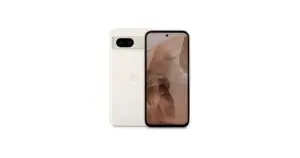
For a child or an older person, the best first phone is the one that allows necessary tasks to be done safely and comfortably. Before comparing cameras or power, define what it will be used for: calls, messages, video calls, transport, school or everyday apps.
In this article
- Start with these questions
- For children: usage agreement before apps
- Parental controls on iPhone and Android
- For seniors: simplicity without removing control
- What to value in the device
- Initial setup to do together
- Frequently asked questions
- Is a refurbished phone suitable as a first phone?
- Do parental controls block all risks?
- Should I configure everything for an older person?
There is no single age that determines the right model. An older person may be an experienced user; a child may only need calls. Choose based on the person and their use, respecting their autonomy.
Start with these questions
- Is a smartphone really necessary, or will a call-only phone suffice?
- Which apps need to work?
- Can the person hold the device and read the screen comfortably?
- Who will help with setup, account recovery and updates?
- What is the total budget, including communications and any subscriptions?
If you need a smartphone, refurbished phones allow you to compare different models and configurations. Confirm software support and app compatibility before choosing solely on price.
For children: usage agreement before apps
Agree usage times, permitted locations, allowed contacts and purchase rules. Explain what supervision can see and why. Technical setup helps, but does not replace conversation about suspicious messages, photo sharing or requests for personal information.
Use an age-appropriate account and follow the service and country rules. Do not enter a false date of birth to bypass restrictions. The responsible person must set applicable permissions and read the data collection information.
Parental controls on iPhone and Android
On iPhone, Apple provides parental controls with Screen Time. In the Google ecosystem, Family Link allows managing accounts and compatible devices, with differences depending on platform and age.
Confirm on the chosen device the functions you need. Do not assume supervision works the same way on Android and iPhone. Test app limits, purchase authorisations and account behaviour before handing over the phone.
Also review camera, microphone and location permissions. Location should not be activated routinely without discussing necessity and conditions of use. Avoid publishing contacts, images or routes of the child.
For seniors: simplicity without removing control
Try text size, contrast, call volume and ease of unlocking. A large screen aids reading for some, but may hinder one-handed use. If possible, let the person try a device of similar size.
Apple offers Assistive Access for a more focused interface. Other devices have their own accessibility options. Confirm availability for the model and system version, and adjust only with the person’s agreement.
Place frequently used contacts and apps in easy-to-find positions. Keep credentials and recovery means accessible to the user. If a family member helps, clearly agree on the access they will have.
What to value in the device
| Need | Useful criterion | How to assess |
|---|---|---|
| Reading and writing | Screen and adjustable text size | Try messages and keyboard |
| Calls and video calls | Microphone, speaker and compatible apps | Test with a known contact |
| Simple use | Familiar interface and essential apps | Check if the person can repeat the tasks |
| Use over several years | Remaining software support | Consult the manufacturer’s official information |
Battery life and ease of charging also matter. Do not choose a very old model just because it is cheap: necessary apps may become incompatible sooner.
Initial setup to do together
- Update the system and install apps from official stores.
- Set up lock and account recovery.
- Adjust text, sound and accessibility.
- Save essential contacts and explain how to make a call.
- Review permissions, purchases and supervision where applicable.
- Make a test call and send a test message.
- Explain how to recognise suspicious requests and ask for help.
To choose within budget, consult the guides for phones up to 150 euros and up to 200 euros. Selections depend on current availability and do not replace confirming the person’s needs.
Frequently asked questions
Is a refurbished phone suitable as a first phone?
It can be, provided it is suited to the intended apps, support and use. Read condition, specifications and purchase terms.
Do parental controls block all risks?
No. They are support tools. They need configuration, review and regular conversation with the child.
Should I configure everything for an older person?
Help with necessary tasks, with their agreement. Explain what you changed and preserve the person’s access to accounts and settings.
Get more articles like this one.
Refurbished tech analysis + €5 with BEMVINDO5 on your first order. Valid on your first order of €50 or more.