In this article
- How to use the F5 key on MacBook Pro?
- Which keys should I press to use F5 on MacBook Pro?
- How to configure the F5 key on MacBook Pro to work correctly?
- Is it possible to use F5 without the Fn key on MacBook Pro?
- How do MacBook Pro keyboards differ from PC keyboards?
- What are the main differences between Mac and Windows keyboards?
- How to enable key functions on MacBook Pro?
- Is there a way to reset the function keys on MacBook Pro?
- Conclusion
- Read also
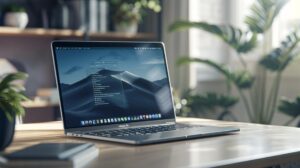
 MacBook Pro em ambiente moderno com iluminação natural e itens de escritório." width="1024" height="573" srcset="https://ioutlet.pt/wp-content/uploads/2024/06/ComopressionarF5noMacBookPro-1024x573.jpg 1024w, https://ioutlet.pt/wp-content/uploads/2024/06/ComopressionarF5noMacBookPro-150x84.jpg 150w, https://ioutlet.pt/wp-content/uploads/2024/06/ComopressionarF5noMacBookPro-700x392.jpg 700w, https://ioutlet.pt/wp-content/uploads/2024/06/ComopressionarF5noMacBookPro-300x168.jpg 300w, https://ioutlet.pt/wp-content/uploads/2024/06/ComopressionarF5noMacBookPro-768x430.jpg 768w, https://ioutlet.pt/wp-content/uploads/2024/06/ComopressionarF5noMacBookPro-990x554.jpg 990w, https://ioutlet.pt/wp-content/uploads/2024/06/ComopressionarF5noMacBookPro-441x247.jpg 441w, https://ioutlet.pt/wp-content/uploads/2024/06/ComopressionarF5noMacBookPro.jpg 1100w" sizes="(max-width: 1024px) 100vw, 1024px" loading="lazy" decoding="async">
- To use the F5 key on MacBook Pro, press
Fn+F5. - On models with Touch Bar, hold
Fnto show the function keys. - To set the F5 key to appear automatically in certain apps on macOS Ventura or later: Apple > System Settings > Keyboard Shortcuts.
- For older versions: Apple > System Preferences > Keyboard > Shortcuts.
- To use F5 without
Fn, enable it in Apple > System Settings > Keyboard > "Use F1, F2, etc. keys as standard function keys". - Mac keyboards have differences, such as the "Command" key (⌘) replacing "Ctrl" and "Option" being similar to "Alt".
Have you just swapped your PC for a MacBook Pro and are lost looking for the F5 key? I have been there too! In this post, I will teach you how to use this function without any fuss. Let’s go?
How to use the F5 key on MacBook Pro?
Which keys should I press to use F5 on MacBook Pro?
To use the F5 key on MacBook Pro, you should pressFn (Function) and F5 at the same time. On many MacBook Pro models, the F1 to F12 keys are used for different controls. Want to adjust the screen brightness? Or the volume? For that, add the Fn key! The Fn button is a real friend.
If you have a MacBook Pro model with Touch Bar, the story changes a little. On the Touch Bar, the function keys do not appear straight away. Press and hold the Fn key, and that’s it! The F functions appear on the handy bar.
How to configure the F5 key on MacBook Pro to work correctly?
Do you want the F5 key to appear automatically in certain apps? This is easy to set up. On macOS Ventura or later, go to the Apple menu and select System Settings, then Keyboard Shortcuts. In older versions, go to System Preferences, then Keyboard and click Shortcuts. Add your favourite apps. And that’s it! Now you will see the F5 key when you open those apps. Want to use the on-screen keyboard? Go to System Settings (or System Preferences) and click Keyboard. Tick "Show Input menu in menu bar". Click the icon in the menu bar and select Show Keyboard Viewer.Is it possible to use F5 without the Fn key on MacBook Pro?
Yes, you can configure this too. Open the Apple menu and go to System Settings (or System Preferences) and click Keyboard. Enable the option "Use F1, F2, etc. keys as standard function keys". Now, simply press F5 directly. And there you have it! Now you know how to use the F5 function on your MacBook Pro. For more details, check Apple Support.How do MacBook Pro keyboards differ from PC keyboards?
What are the main differences between Mac and Windows keyboards?
MacBook Pro keyboards have different keys from PC keyboards. For example, on Mac, the "Command" key (⌘) replaces the "Ctrl" key in shortcuts. If you want to copy something, on Mac you use "Command + C" instead of "Ctrl + C". In addition, the "Option" key on a Mac is similar to the "Alt" key on a PC. These differences can make the transition from a PC to a Mac a little challenging at first, but you will soon get used to it.How to enable key functions on MacBook Pro?
To access the F1 to F12 functions on MacBook Pro, hold the "Fn" (Function) key and look at the function keys on the Touch Bar. If you want these keys to appear automatically in specific apps, go to the Apple menu, click "System Settings" (or "System Preferences"). In macOS Ventura or later, select "Keyboard Shortcuts" and then "Function Keys". In macOS Monterey or earlier, click "Shortcuts" and then "Function Keys". Add the desired app so that the function keys appear in the Touch Bar when you use that app.Is there a way to reset the function keys on MacBook Pro?
Yes, it is possible to reset the function keys. If you prefer to use the function keys without the "Fn" key, go to "System Settings" (or "System Preferences"), click "Keyboard" and tick the option "Use F1, F2, etc. keys as standard function keys". This will allow you to use the function keys directly. To find out more, check the official Apple guide. These differences are important so you can use MacBook Pro efficiently. Mastering shortcuts and settings will make your work smoother and more enjoyable.Conclusion
Using the F5 key on MacBook Pro is easy with the right tips. You have learnt how to use it correctly, configure it without the Fn key, and understand the differences from PC keyboards. MacBook Pro offers flexibility and functionality with its keys. Now, make more of your function keys and improve your user experience.Read also
- MACBOOK AIR, PRO OR IMAC: which Apple computer is right for me?
- Should I buy a desktop? Discover the advantages and disadvantages of iMac!
- Which MacBook to buy in 2023
- View refurbished MacBooks at iOutlet
Get more articles like this one.
Refurbished tech analysis + €5 with BEMVINDO5 on your first order.
Looking for a refurbished MacBook?
Tested and certified MacBooks with a 24-month warranty. From MacBook Air to MacBook Pro.
24-month warrantyShipping up to 8 business days
See MacBooks →