
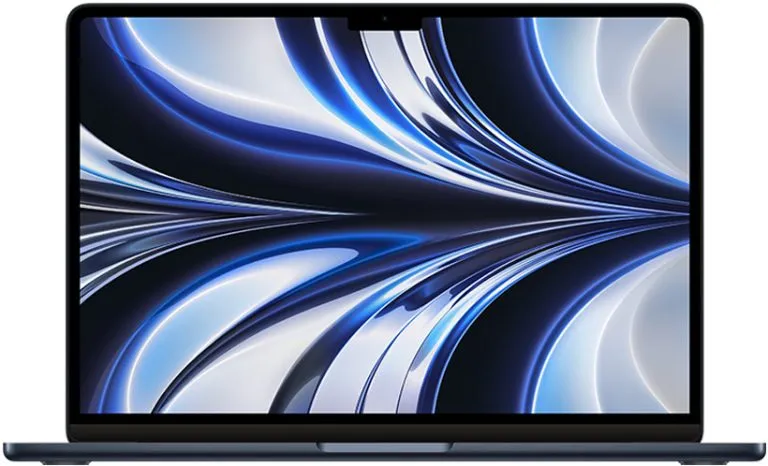
MacBook Air vs MacBook Pro: Which to Choose in 2026?
For 90% of users, the MacBook Air is the right choice in 2026. Ever since the Apple Silicon chips (M1, M2, M3, M4), the…
Read article: MacBook Air vs MacBook Pro: Which to Choose in 2026?Guides, tips and reviews on MacBook, iMac and Mac Pro. Everything about macOS, maintenance, performance and how to choose the ideal refurbished Mac for you.
For 90% of users, the MacBook Air is the right choice in 2026. Ever since the Apple Silicon chips (M1, M2, M3, M4), the…
Read article: MacBook Air vs MacBook Pro: Which to Choose in 2026?
TL;DR: Cut, Copy and Paste: Command + X, Command + C, Command + V Force close application: Command + Option + Escape Restart: Control…
Read article: MacBook Shortcuts: What Are the Main Ones?
TL;DR: Processors: Intel Core i5 dual-core at 2.0GHz (Turbo Boost up to 3.1GHz) or Intel Core i7 dual-core at 2.4GHz (Turbo Boost up to…
Read article: Is the MacBook Pro Retina Mid 2016 Still Worth It?
TL;DR: MacBook Pro 14'' specs: M3, M3 Pro, M3 Max chips; 8-12-core CPU, 10-18-core GPU; 8-18 GB unified memory; 512 GB or 1 TB…
Read article: MacBook Pro 14: Is It Worth Buying?
In 2026, asking whether the MacBook Air 2018 is still worth it is a legitimate question: and the answer depends heavily on the price…
Read article: MacBook Air 2018 in 2026: Where to Buy and Is It Worth It?
TL;DR Worth it? Yes, for video/photo editing and heavy tasks with a budget up to €1,000. Refurbished only: new models are no longer justified…
Read article: Is the MacBook Pro 16GB 2019 still worth buying?
TL;DR: Available Models: MacBook Air and MacBook Pro. Pink MacBook Air M1: 13.3" screen, 2560x1600 resolution, 8GB RAM, up to 2TB SSD. Pink MacBook…
Read article: Pink MacBook: What are its technical specifications?
TL;DR: The Touch Bar is a touch-sensitive bar at the top of the MacBook Pro keyboard, replacing traditional function keys. It displays different buttons…
Read article: MacBook Touch Bar: Is It Worth Using?
MacBook trackpad problems? See how to fix a trackpad that doesn't work or respond and get a solution for MacBook trackpad repair.
Read article: MacBook Trackpad: How to Fix Common Problems
TL;DR: M1 and M2 processors: Extremely fast, integrating CPU, GPU and Neural Engine into a single chip, resulting in lower latency and greater efficiency.…
Read article: PC vs MacBook: Which Is Better for Gaming?
TL;DR: Common Shift key problems on MacBook: stuck key or no response. Check whether the problem is constant or intermittent, and inspect System Preferences.…
Read article: Shift Key on MacBook: How to Fix Problems?
TL;DR: Battery models: A1278 and A1502. Check your model number on the underside of the laptop. High capacity does not mean high quality; read…
Read article: MacBook Pro 13 Battery: What Is the Ideal Replacement Option?
TL;DR: Basic gestures: Click: Tap with one finger. Secondary click: Tap with two fingers. Zoom in/out: Use a two-finger pinch gesture. Scroll: Slide two…
Read article: MacBook Pro Gestures: Do You Know How to Use Them Correctly?
TL;DR: Installation: Download the Facebook app from the download page, open the file and drag the icon into the Applications folder. Setup: Open the…
Read article: Facebook App for MacBook Pro: How to Install?
TL;DR: Apple iMovie: Ideal for beginners, 4K editing, integration with iPhone/iPad, limited to 2 video and audio tracks. Wondershare Filmora: User-friendly interface, great for…
Read article: How to edit video on MacBook Pro the simple way?
TL;DR: Common MacBook Pro screen problems: vertical lines, stains, loss of brightness. Stains can indicate wear or internal failure; check regularly. Brightness failures make…
Read article: MacBook Pro Screen: What Are the Common Problems?
TL;DR: Video ports on MacBook: Thunderbolt 3 (USB-C), Mini DisplayPort, HDMI (older models). Number of supported monitors: varies by model; MacBook Pro 13" with…
Read article: Dual MacBook Screens: How to Set Up and Use Them?
TL;DR: The best dock depends on your specific needs. Thunderbolt 3 is ideal for fast transfers (up to 40 Gbps). A USB-C dock is…
Read article: MacBook Pro Dock: How to Choose the Best One?
TL;DR: Common MacBook Air hinge problems: it can become loose, creak, or break. Steps to replace a damaged hinge: Shut down your MacBook Air.…
Read article: MacBook Air Hinge: How to fix common problems?
TL;DR: Best MacBooks for DJs: MacBook Pro 16'' (M1 Pro/M1 Max) - Powerful, great battery life. MacBook Pro 14'' (M1 Pro) - Compact, high…
Read article: DJ MacBook Pro: Is It Worth the Investment?


