
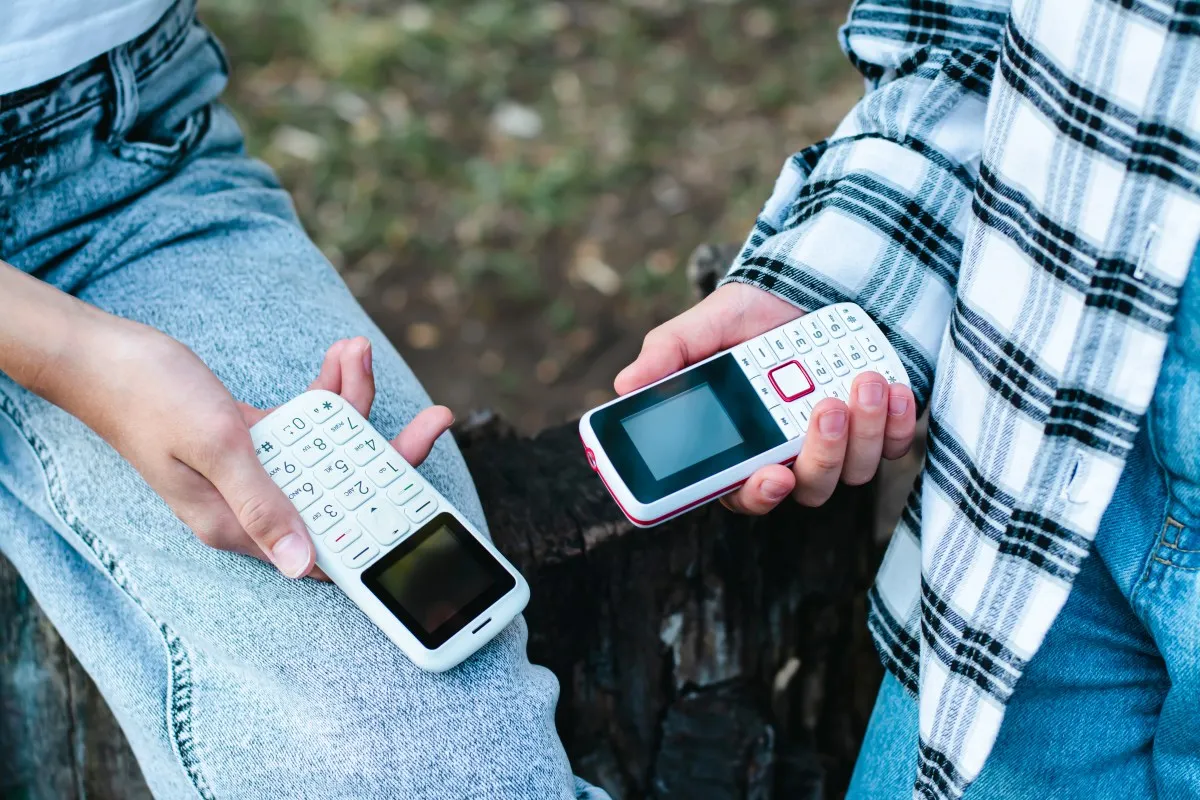
Turning the smartphone into a “dumbphone” (without discarding it): the trend that aims to cut scrolling at 2026
In this article
\r\n\r\nThere is a new form of “digital detox” circulating: it does not involve reverting to analogue, but repurposing the same smartphone and making it deliberately less enticing. The logic is simple: strip away stimuli (icons, badges, feeds and notifications) to curb the reflex to open apps, while keeping the essentials, such as calls, messages, maps and authentication. The movement aligns with the digital minimalism embraced by Gen Z and is gaining traction because it can be reversed in seconds: just switch off a mode, change the home screen or reactivate permissions.\r\n
Overview
\r\nThe “dumbphone-mode” originates from a modern tension: the desire to be reachable (work, family, services) without living in a constant alert state. Rather than a total detox, which is often impractical, the proposal is to reduce friction for what matters and increase friction for what distracts. This can mean hiding social media, limiting the home screen to half a dozen apps and cutting notifications to a minimum.\r\n\r\nThe conversation also rests on a psychological reading: prolonged exposure to stimuli and information can keep the nervous system in a constant activation state, affecting focus and self‑regulation. Clinical psychologist Jennifer Rolnick describes this as a “double impact”, continuous arousal and, in some cases, a tendency toward shutdown or dissociation, when the input volume exceeds what the body can process healthily.\r\n
Technical Details
\r\n“Dumbifying” a smartphone is not a single technology; it is a set of interface and permission choices. In practice, three layers usually make the difference.\r\n\r\n
1) Home screen and launcher (the habit layer)
\r\nApps such as Dumb Phone (dp), LessPhone, Minimalist Phone or Dumbify aim to replace the home screen with text lists, simple buttons and reduced colour. The idea is to cut down “visual cues” (badges, icon grids, eye‑catching widgets) that act as opening triggers. On Android, launchers have greater flexibility; on iPhone, these solutions tend to rely on shortcuts, widgets and home‑screen organisation, so the experience can vary.\r\n\r\n
2) Attention rules (the control layer)
\r\nScreen‑less tools and app blockers (for example, Freedom and AppBlock, cited in the source text) act as temporal “guards”: they set windows without social networks, block sites and create limits that do not rely solely on willpower. It is worth distinguishing: a time limit reduces usage; a rule‑based block reduces access.\r\n\r\n
3) Native functionalities (the most reliable layer)
\r\nOn iOS, the highlight goes to the Assistive Access (Assistive Access), an accessibility feature that lets you configure a reduced set of apps with a simplified interface and larger elements. In practice, it is a form of “essential mode” with less noise. The source text references iOS 17/18+ and the ability to switch quickly (for example, via a triple‑click shortcut), which makes the mode useful for those who want to toggle between a “workday” and a “weekend” without reinstalling anything.\r\n\r\nIn addition, there are two classic tricks that still work: Focus Modes (to silence notifications and allow only essential people/apps) and grayscale (a filter that removes colour from the screen; by reducing visual appeal, it can curb compulsive checking). For official and up‑to‑date instructions, it is worth confirming with support: Apple Support.
What changes for the user
\r\nThe most immediate gain is a reduction in “micro‑interruptions”. Fewer notifications and visual stimuli tend to lower the habit of opening the phone with no clear purpose. For many, this translates into three practical effects: longer continuous focus, reduced sense of urgency and more intentional use (opening to do something, not just to “see what’s there”).\r\n\r\nA notable secondary effect is that when social networks are no longer a tap away, the user starts to pick specific times to use them. This shift in context, from “always available” to “when I decide”, often provides a detox feeling without abandoning the smartphone.\r\n\r\nHowever, it is not always linear. If the phone also serves as a work tool, authentication (2FA), payments or group communication, an overly aggressive “brick mode” can create real friction and lead to abandoning the approach. The balance point usually is: keep calls, messages, maps, camera and authentication; limit feeds, recommendations and non‑essential notifications.\r\n
Limitations & Challenges
\r\nThe “dumbphone-mode” does not, by itself, solve the root problem: attention economy persists and many apps are designed to maximise screen time. Therefore, configuration matters more than intention. If notifications stay on, if badges return or the home screen continues to expose shortcuts to feeds, the brain quickly reverts to the previous pattern.\r\n\r\nAnother challenge is reversibility. The source text highlights that the change can be reversed in seconds, which is an advantage (flexibility) but also a weakness (temptation). To mitigate this, some people combine: time‑based blocking + minimalist home screen + Focus. The overlapping layers create consistency.\r\n\r\nFinally, the notion of “essential” differs for each person. A student may need calendar and email; a parent may prioritise calls and location; someone in hybrid work may need authentication apps and professional messaging. The best “dumbphone” cuts distractions without breaking critical routines.\r\n\r\nFor editorial transparency, the original text that prompted this analysis is available at Newsweek.
FAQ
- Is the “dumbphone-mode” the same as a digital detox?
- Not exactly. A detox involves stepping away; the “dumbphone-mode” is a reconfiguration of the smartphone to reduce stimuli, while retaining modern functions such as maps and messages.
- What is the most reliable way to simplify an iPhone without installing apps?
- Use native features such as Assistive Access, Focus Modes and accessibility adjustments (for example, grayscale). Availability and options may vary by iOS version.
- Do minimalist launchers work the same on iPhone and Android?
- In general, Android allows replacing the launcher more directly. On iPhone, many solutions depend on widgets, shortcuts and home‑screen organisation, so the experience may be less “complete”.
- Does grayscale actually help use the phone less?
- It can help because it removes colour, a strong visual trigger, and makes feed apps less appealing. It is not a cure, but works well when combined with reduced notifications and a simple home screen.
- How to choose what remains “essential” in dumbphone mode?
- Start with calls, messages, maps, camera and authentication. Then add only what prevents daily friction (for example, calendar). Anything that is an endless feed or algorithmic recommendation tends to be a candidate for hiding or blocking.
Read also
- The latest Apple news 2022
- The latest Apple news!
- Investing in Apple shares: a comprehensive analysis
- View refurbished iPhones at iOutlet
Get more articles like this one.
Refurbished tech analysis + €5 with BEMVINDO5 on your first order. Valid on your first order of €50 or more.





