
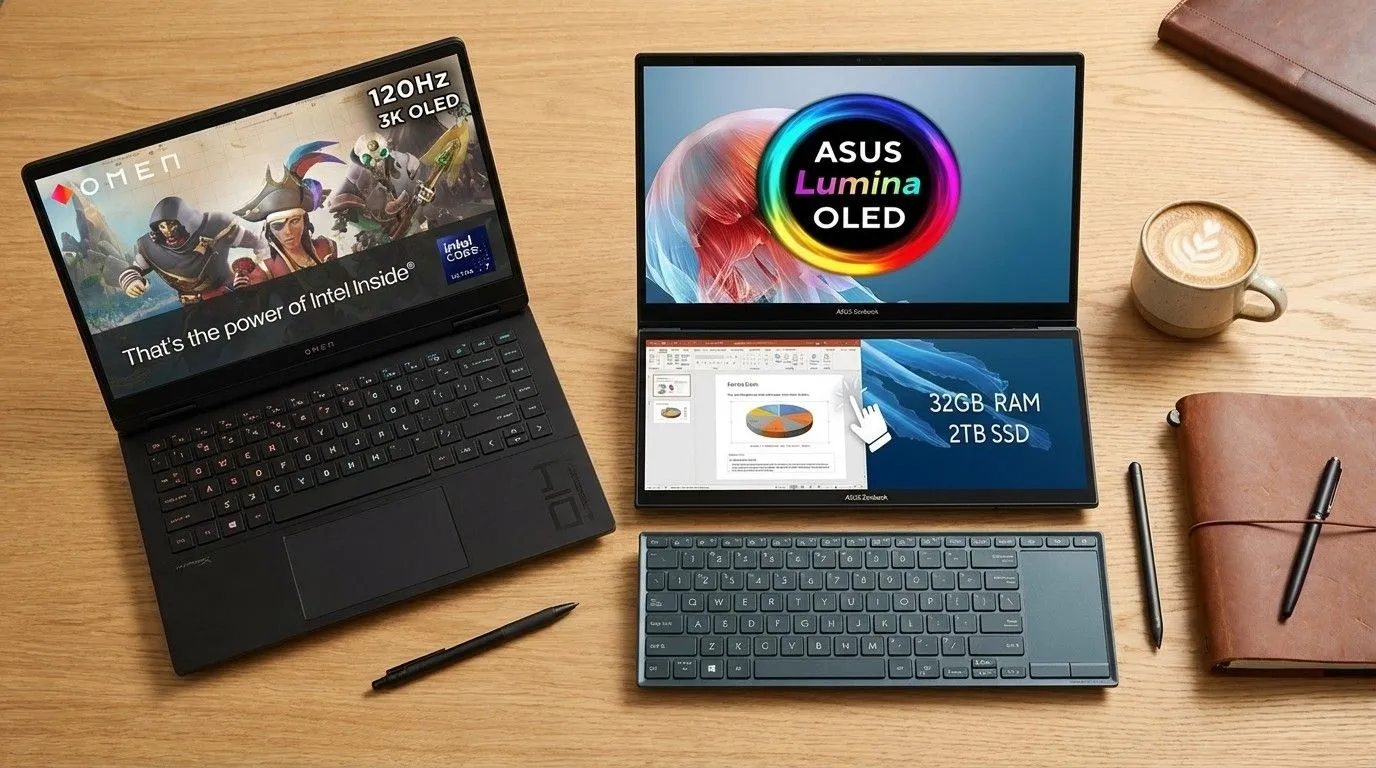
The end-of-year sales are cutting hundreds of euros off laptops that had already been featured in 2025. From models for design, CAD, gaming and study, now is a good time to move up a level without paying launch prices.
In this article
End-of-year discounts are making some of the most acclaimed laptops of 2025 much more affordable, and that changes the equation for creatives, students and demanding users.
After months of 'launch' prices, the end-of-year sales bring meaningful cuts to machines that had already proven their value in practical testing: build quality, accurate displays, battery life and sustained performance, not just spec sheet numbers. For anyone working in design, photography, video, CAD or needing a reliable laptop for study and work, the difference between 'aspiration' and 'sensible buy' usually comes down to price. And when the drop is in the hundreds, it starts to make sense to invest in a model that will stay fast and comfortable over 2026.
Overview
There is a clear pattern in the selection: laptops that handle real, repeated tasks, exporting video, compiling heavy projects, working with multiple windows, or maintaining a creative workflow without noise and constant throttling. At the top are models aimed at creative work with high-precision displays and mature software integration, such as the 14-inch MacBook Pro with M4. At the other end are options with a better cost-to-usability ratio for productivity and study, like the HP OmniBook 5 and the MSI Prestige A16 AI+. In between are hybrid 'creator-gamer' machines where the dedicated graphics card and cooling matter as much as the panel: the OMEN Transcend 14 and Gigabyte AORUS Master 16 fit here.
The common thread is simple: these are laptops that already deserved attention in 2025; with a discount, they become less risky choices for anyone who wants to buy once and be done.
Architecture & Specifications
When comparing these models, it is worth looking at four technical areas that affect day-to-day use. First, the display: for design and photography, colour consistency, useful brightness and stable viewing angles matter; for CAD and video timelines, resolution and effective size also count. Second, sustained performance: CPU and GPU can be fast in short bursts, but what separates a 'good in benchmarks' laptop from a 'good to work on' laptop is maintaining that performance without overheating.
Third, memory and storage: creative projects and media libraries benefit from generous RAM and a fast SSD; anyone who lives in heavy multitasking will feel the difference straight away. Fourth, battery life and noise: in models with efficient chips (such as Apple Silicon), battery life and silence become part of the workflow; in machines with a dedicated GPU, the aim is to balance power and acoustics without turning the laptop into a permanent compromise.
There is also a special case: the ASUS Zenbook Duo, designed for those who save time with two screens. Here, the most important 'specification' is not the CPU frequency, but the ergonomics of the second panel, window management and how the software supports the idea.
Practical Advantages
The discounts are significant because they affect the total cost of ownership. A more expensive laptop with a consistent display and good battery life reduces daily friction: less time colour-correcting, less dependence on power sockets, less need for an external monitor on the move. For students, the advantage is different: buying a well-balanced model with a decent keyboard, acceptable webcam and solid battery avoids early replacement and a cascade of add-on accessories.
For creators who switch between 2D, 3D and video, models with a dedicated GPU (OMEN Transcend 14, AORUS Master 16) can speed up exports and allow smoother previews. Even so, it is wise to choose based on the type of work: if the focus is photography, UI and light editing, an efficient system with a good display may be more valuable than a powerful graphics card that adds weight and noise.
The Zenbook Duo, meanwhile, shines in organisation and production tasks: timeline below, preview above; references on one panel, canvas on the other; meetings on one screen, notes on the other. It is not for everyone, but for certain workflows it is a genuine shortcut.
Competition & Pricing
The end of the year is typically when manufacturers clear stock and adjust positioning ahead of the next generations. This creates windows in which premium models drop to historically more reasonable levels, especially when they are no longer the 'new thing' of the quarter. The practical takeaway is this: if the discount brings a top-tier laptop close to the price of a lower segment, the purchase makes more sense, provided the model suits your use and is not just 'the most expensive one on sale'.
It is also important to avoid common promotion traps: configurations with too little RAM, an SSD too small for media libraries, or inferior panels within the same family. In sales, the model name may be the same, but the experience varies considerably depending on the configuration.
Next Steps
Before deciding, it is worth making a short list of priorities: colour accuracy and battery life (creative work and mobility), graphics power and cooling (3D/heavy video), or portability and price (study and productivity). Then, confirm three things: the amount of RAM in the configuration on offer, the SSD size and the display type. If you work with colour, look for information on calibration and consistency; if you do rendering, look for signs of sustained performance and acceptable noise levels.
If your budget allows, buying a little above the bare minimum is usually smarter than going for 'the cheapest possible'. You will feel the difference in 12 months, when your projects grow and the laptop keeps up without struggling.
FAQ
- Are these discounts worth it, or should I wait for the 2026 models?
- If the cut is in the hundreds and the configuration is well balanced (RAM/SSD/display), it makes sense to buy now. The next generations may bring improvements, but the launch price usually cancels out the immediate gain.
- How do I choose between a laptop for creatives and a 'gaming' laptop with a dedicated GPU?
- For photography/design 2D, prioritise display and battery life; for 3D and heavy video, the GPU and cooling are what matter. A gaming model can be excellent for creative work, but it tends to be noisier and less portable.
- What should I check in a promotion to avoid buying the wrong configuration?
- Check the amount of RAM, the SSD size and the display type. In some ranges, the same name hides panels and configurations with big differences in the user experience.
- Is the ASUS Zenbook Duo actually worth it for having two screens?
- It is worth it when your work benefits from permanent extra space: timelines, references, chat/meetings and tools running in parallel. If you almost always use an external monitor, the second screen loses its impact.
- Is the 14 MacBook Pro (M4) the better choice for colour work?
- It is a strong choice when your priorities are display consistency, battery life and a stable workflow. Still, the decision should consider the software you use and whether you need a dedicated GPU for certain tasks.
Read also
Get more articles like this one.
Refurbished tech analysis + €5 with BEMVINDO5 on your first order. Valid on your first order of €50 or more.





