
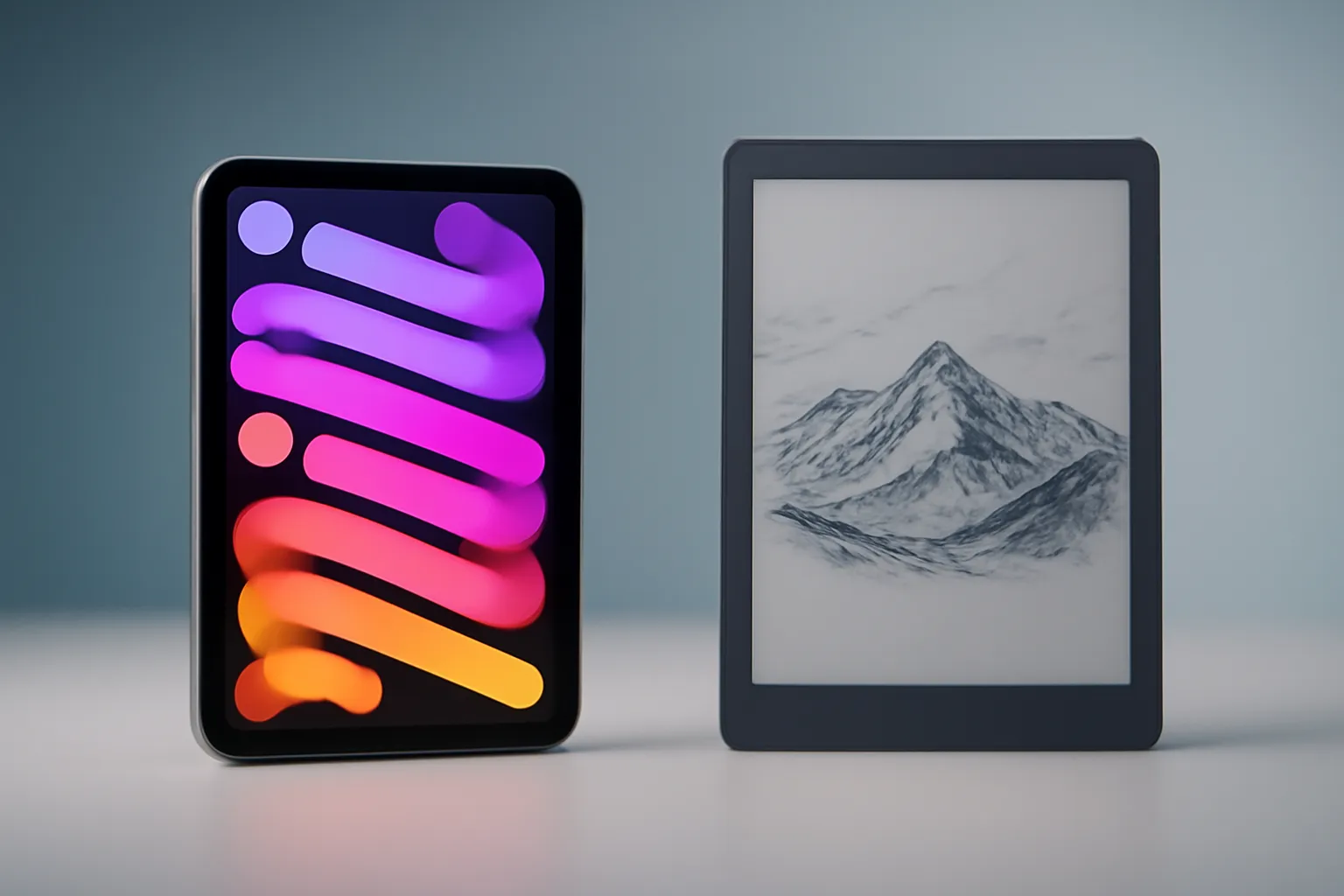
iPad Mini vs reMarkable Paper Pro Move: two ways to take notes (and two working styles)
In this article
- Overview: multitool vs dedicated tool
- Tech details: screen, perceived latency and writing feel
- Practical advantages: when each device shines day to day
- Competition and pricing: the real cost is in the extras
- What changes for the user: a quick decision checklist
- Next steps: how to choose without regret
- FAQ
Comparing the iPad Mini and the reMarkable Paper Pro Move is less about who wins and more about how you work. One side is a full tablet with a bright LED screen and an app ecosystem that handles notes, drawing, reading and entertainment. The other side is built for focus: glare-free E‑ink paper, friction when you write and an environment designed to cut interruptions. For students, professionals and creatives, the choice usually comes down to this: do you need versatility in one device, or do you want a digital notebook that keeps you locked in?

Overview: multitool vs dedicated tool
At the heart of this comparison lies a difference in philosophy. The iPad Mini works like a pocket computer, you switch between apps, handle varied workflows and fit comfortably into a routine where note-taking is only part of the day. The reMarkable Paper Pro Move was designed for reading, writing and annotation, fewer options, but also fewer temptations.
In practice, that changes how you plan meetings, study or organise projects. If you need web research, email, messages and documents open at the same time, the iPad approach tends to fit better. If your real problem is staying focused and capturing ideas without digital noise, the reMarkable proposition wins.
Tech details: screen, perceived latency and writing feel
The screen is where the experience diverges most clearly. On the iPad Mini, LED technology (with glass) means better colour, contrast and visual fluidity, useful for images, video and rich interfaces. The trade-off is potential glare and a smoother feel when writing, even with a stylus. On the reMarkable Paper Pro Move, E‑ink is naturally more comfortable in bright environments and closer to paper for prolonged reading; the aim is to reduce brightness and eye strain.
It helps to put that in practical terms: E‑ink is not a weaker LCD, it is a different technology, optimised for static text and writing. LED is not worse for notes, it is more general and better for dynamic content. In this comparison, you choose between a screen that does everything and a screen that does one thing very well.
The stylus also matters. The Apple Pencil (depending on the compatible model) offers advanced features like pressure sensitivity and gestures, including hover on supported models, useful for drawing and detailed annotation. The reMarkable Marker prioritises simplicity: no charging needed and an integrated eraser (on the model with eraser) reduce daily friction. If your writing is mostly text and annotations, the lack of features can be an advantage, not a drawback.

Practical advantages: when each device shines day to day
There are scenarios where the iPad Mini is hard to beat: taking notes while consulting a PDF, switching to a call, replying to messages and returning to your digital notebook without changing devices. The range of note and drawing apps also lets you tailor the method, bullet journals, mind maps, project notebooks, templates. In this comparison, that means flexibility: you change tools without changing hardware.
The reMarkable Paper Pro Move tends to win when the priority is continuity and focus. For reading and annotating texts, reviewing documents and long-form writing, the minimal environment cuts the chance of reaching for just one more notification. The writing feel, closer to paper, can help anyone who never got used to glass, especially during long study sessions or back-to-back meetings.
Competition and pricing: the real cost is in the extras
The source text notes that both start at the same price point (US$499), but the total rises with accessories and, in some cases, subscriptions. On the iPad Mini, a stylus and a case are almost essential to turn the tablet into a consistent note-taking tool; on top of that, some popular apps may cost a recurring fee. On the reMarkable Paper Pro Move, the extra cost is in the stylus and covers, and there may be an optional subscription (Connect) for better sync and file management.
In this comparison, the risk is comparing entry price while ignoring what you will actually buy. A simple way to decide is to list your minimum kit: stylus, protection and (if applicable) app or subscription. If the final figure bothers you, consider postponing non-essential purchases and testing your note-taking workflow for two weeks first.
For anyone buying technology with attention to deadlines and conditions, it is worth checking policies before deciding, especially when the accessory defines the experience. At iOutlet, you can view delivery times, returns policies and warranty information to avoid surprises after purchase.
What changes for the user: a quick decision checklist
If you are stuck on this comparison, use this checklist and answer without maybes:
1) Do I need apps beyond notes? If yes (email, browser, messages, media), the iPad Mini fits better.
2) Is distraction my problem? If yes, the reMarkable tends to help by design.
3) Will I draw in detail? The Apple Pencil and creative apps favour the iPad.
4) Will I read and write for hours? E‑ink and the lack of screen shine favour the reMarkable.
5) Do I want one device for everything? iPad. If you want a digital notebook that does not try to be anything else, reMarkable.

Next steps: how to choose without regret
To close this comparison confidently, decide your working method first and only then the hardware. If your day involves switching contexts (meetings, documents, communication), the iPad Mini tends to be the safer bet. If you want to recover a writing and reading routine with less noise, the reMarkable Paper Pro Move is more coherent.
If you want transparency about the source article, the original comparison is on Geeky Gadgets. For official details on features and compatibility in the Apple ecosystem, see Apple Support.
FAQ
- In the iPad Mini vs reMarkable Paper Pro Move comparison, which is better for studying without distractions?
- The reMarkable Paper Pro Move tends to be more suitable because it was designed for writing and reading with fewer interruptions. The iPad Mini can work, but it relies more on self-discipline and focus settings.
- Is E‑ink always better for the eyes than LED?
- For prolonged reading and bright environments, E‑ink is usually more comfortable because it does not emit light like a backlit screen. Even so, comfort depends on brightness, distance, lighting and usage habits.
- In the iPad Mini vs reMarkable Paper Pro Move comparison, which offers the better writing experience?
- If you value a paper-like feel and stylus friction, the reMarkable tends to please more. If you need precision, advanced stylus features and app integration, the iPad Mini with Apple Pencil tends to be superior.
- Do I really need to buy accessories to take notes seriously?
- In most cases, yes: a stylus and a case or cover change ergonomics and durability. With both devices, the real price usually includes these extras.
- What should I check before choosing between the iPad Mini and the reMarkable Paper Pro Move?
- Check: (1) whether you will need specific apps, (2) recurring costs (apps or subscriptions), (3) stylus compatibility and type, (4) how you will sync files and (5) returns and warranty policies to reduce risk.
Get more articles like this one.
Refurbished tech analysis + €5 with BEMVINDO5 on your first order. Valid on your first order of €50 or more.





