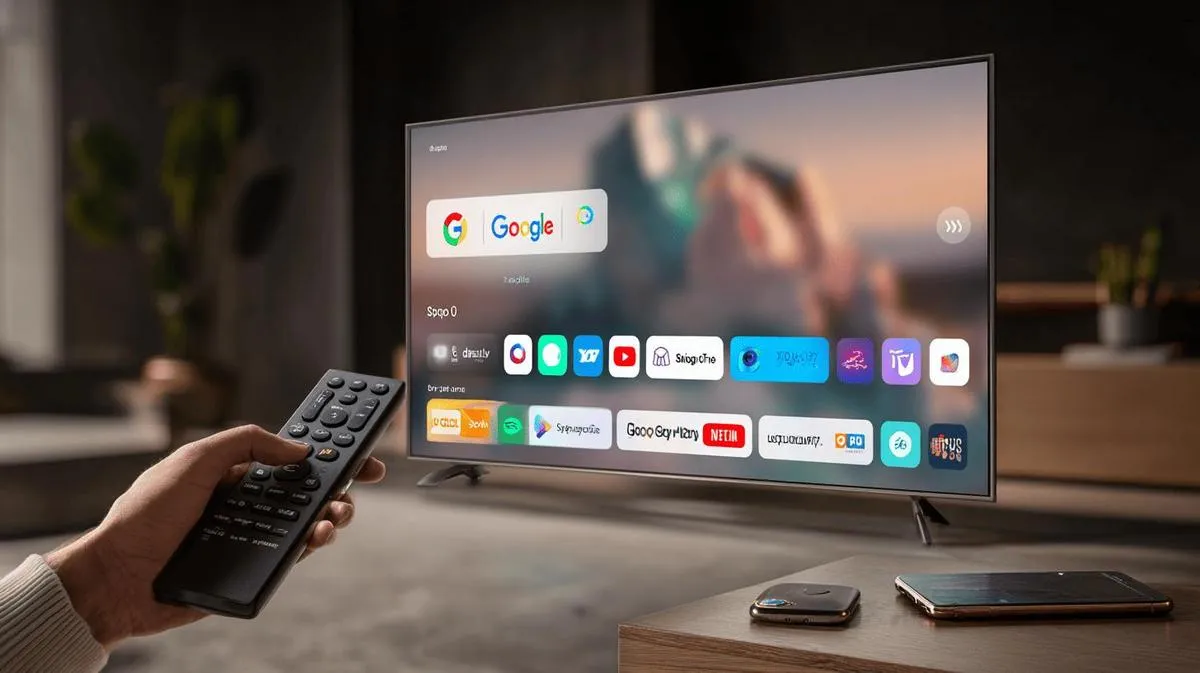
No: you cannot install the Google Play Store on a Samsung Smart TV. Samsung TVs run Samsung's own operating system, Tizen, not Android, so they do not have the Play Store and cannot run Android APK apps. Instead, you install apps from the built-in Samsung App Store, and there are a couple of easy ways to get Google or Android apps onto the big screen.
In this article
The short answer is important because many online guides make this more confusing than it needs to be. A Samsung Smart TV is not an Android TV with a missing app store; it is a different smart-TV platform. The practical answer is to use Samsung's own app store, cast from another device, or plug in a streaming device that supports the app ecosystem you want.
Why Samsung TVs don't have the Play Store
Samsung Smart TVs use Tizen, Samsung's own operating system for TVs and connected devices. Android TV and Google TV are Google's smart-TV platforms. They are competing ecosystems, not different skins on the same system.
That difference matters because apps are built for a specific operating system. An Android app package, often called an APK, is made to run on Android. A Samsung TV app is made for Tizen and is distributed through Samsung's own TV app platform. Installing the Google Play Store would not make a Samsung TV compatible with Android apps, because the underlying operating system is still Tizen.
Samsung's app experience is built around Smart Hub and the Samsung App Store. Smart Hub is the TV interface where you find streaming services, inputs, settings, and installed apps. The Samsung App Store is where you search for apps made for Samsung TVs.
This is why you may see the Play Store on some other television brands but not on Samsung. Some Sony, TCL, and Hisense TVs use Google TV or Android TV, so those models can include the Google Play Store or a Google TV app catalogue. Samsung does not use Android TV or Google TV on its Smart TVs.
What you can install from the Samsung App Store
For most people, the lack of the Play Store does not mean the main streaming apps are missing. Major entertainment services usually provide native Samsung TV apps through the Samsung App Store. Availability can vary by country, TV model, and software version.
Common apps available on Samsung Smart TVs include Netflix, YouTube, Disney+, Prime Video, Apple TV, Spotify, Twitch, Plex, and other well-known streaming or media apps. These are not Android APKs running on the TV. They are Samsung TV apps designed for Tizen.
To open the store on a Samsung TV, go to Smart Hub, then choose Apps. From there you can search for a service, install supported apps, and add frequently used apps to your home screen.
If an app does not appear in search, check the app provider's own support page for Samsung TV availability in your region and for your model year. Some apps support newer Samsung TVs but not older models.
How to use an app that isn't on your Samsung TV
If the app you want is not available in the Samsung App Store, the legitimate options are to run it on another device and send the picture to your TV, or to add a separate streaming device through HDMI.
- Plug in a streaming device that supports the app you need. A Chromecast with Google TV or an Android TV box can give you access to Google TV or Android TV apps, while an Amazon Fire TV Stick can provide another broad TV app catalogue through HDMI.
- Cast or screen-mirror from a phone. On many Samsung and Android phones, Smart View can mirror or cast content to a compatible Samsung TV. On supported Samsung TV models, an iPhone can use AirPlay to send video, photos, or the screen to the TV.
A streaming device is usually the cleanest option if you want a remote-control experience and regular access to apps outside Samsung's catalogue.
Casting or screen mirroring is better for occasional use, especially when a service has a good phone app but no Samsung TV app.
You cannot sideload Android APK files onto a Samsung Tizen TV. Ignore any guide that claims you can install the Play Store, install Google Play Services, or load ordinary Android APK files directly onto a Samsung Smart TV. Those instructions are for Android TV devices, not Samsung Tizen TVs, or they rely on unsupported claims that do not change the TV's operating system.
FAQ
| Question | Answer |
|---|---|
| Can I install APK files on a Samsung Smart TV? | No. Samsung Smart TVs run Tizen, and Tizen does not run Android apps or standard Android APK files. |
| Is Netflix or Disney+ available on Samsung TV? | Yes. Most major streaming apps, including services such as Netflix and Disney+, are available through the Samsung App Store on supported Samsung TV models. |
| How long do Samsung TVs get updates? | Samsung ships Tizen software updates for several years, although exact support length can depend on the model, region, and app provider requirements. |
The bottom line is simple: Samsung Smart TVs do not support the Google Play Store, but you can still use Samsung's own app store, connect a streaming device, or cast from a phone.
Diagnostic tools
Get more articles like this one.
Refurbished tech analysis + €5 with BEMVINDO5 on your first order. Valid on your first order of €50 or more.