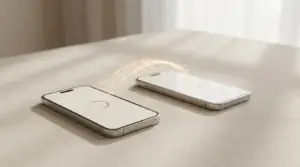
When purchasing a new iPhone, the task of transferring data from one iPhone to another may seem challenging at first glance. However, thanks to the transfer options available, the process can be streamlined and efficient. In this article, we will explore some simple and accessible ways to transfer your data, including contacts, photos, videos, messages and other files, ensuring you can start using your new device without losing any important data.
In this article
Transfer data from one iPhone to another
1. Using iCloud to transfer data from one iPhone to another
iCloud is one of the easiest ways to transfer data from one iPhone to another. Here's how to do it:
Step 1: Make sure your old iPhone is connected to the Internet and that iCloud is active on both devices. Step 2: On your old iPhone, go to "Settings", click your name and select "iCloud". Step 3: Enable the "iCloud Drive" option and make sure all app options are selected for syncing. Step 4: On your new iPhone, follow the setup instructions until you reach "Apps & Data". Step 5: Select the "Restore from iCloud backup" option and sign in to your iCloud account. Step 6: Select the most recent backup from your old iPhone and wait for the restore process to complete.
2. Using iTunes
iTunes can also be used to transfer data from one iPhone to another. Here's how to do it:
Step 1: Connect your old iPhone to your computer and open iTunes. Step 2: Click the iPhone icon in the top left corner of the iTunes window. Step 3: Select the "Back Up Now" option and wait until the process is complete. Step 4: Connect your new iPhone to the computer and select the "Restore iTunes Backup" option during setup. Step 5: Select the most recent backup from your old iPhone and wait for the restore process to complete.
3. Using a data transfer app
There are many data transfer apps available on the App Store that can help you transfer your data from your old iPhone to the new one. Some of the most popular include AnyTrans, iMazing and Dr.Fone.
These apps offer many data transfer options, such as direct device-to-device transfer, backup and restore, and selective transfer of specific files. If you're looking for a more customised and flexible solution, one of these apps could be the right choice for you.

Transferring data from one iPhone to another can be a smooth and hassle-free process, thanks to the various options available. Whether through iCloud, iTunes or data transfer apps such as AnyTrans, iMazing and Dr.Fone, you can choose the option that best suits your needs and preferences.
With these tools at your disposal, you can efficiently transfer data from one iPhone to another, ensuring that all your important data is readily available on your new iPhone, so you can make the most of your updated device. Also find out how to transfer data from an Android to an iPhone quickly and easily from an article on our website.
Diagnostic tools
Get more articles like this one.
Refurbished tech analysis + €5 with BEMVINDO5 on your first order. Valid on your first order of €50 or more.