Is it worth buying a refurbished MacBook in 2026?
Key Takeaways:
- Price: Affordable refurbished MacBooks at iOutlet (view current prices)
- Our recommendation for 2026: MacBook Air M1: M1 chip, fanless design and, according to Apple, up to 18 hours of battery life
- Warranty: 24 months on the refurbished line and 18 months on the Outlet line, plus 14-day returns with no justification needed
- Battery: All batteries verified; on Apple Silicon models Apple states up to 18 hours of battery life, depending on model and usage
- Environmental impact: A refurbished MacBook avoids the majority of the production footprint, which for a new 13" MacBook Air M3 accounts for 75% of its lifecycle emissions, according to Apple (Apple environmental reports, 2024)
In this article
- Is it worth buying a refurbished MacBook in 2026?
- Contents
- Refurbished MacBook Air prices in 2026
- Refurbished MacBook Pro prices in 2026
- Which Refurbished MacBook to Choose in 2026?
- Refurbished MacBook Air vs MacBook Pro
- Intel vs Apple Silicon: is the upgrade worth it?
- Battery Cycles: What to Check Before Buying
- Environmental Impact: The Choice That Makes a Difference
- How to choose a refurbished MacBook
- What a refurbished MacBook from iOutlet includes
- Frequently asked questions
- How much does a refurbished MacBook cost?
- Is a refurbished MacBook worth it?
- What is the difference between a refurbished MacBook Air and Pro?
- Does a refurbished MacBook receive macOS updates?
- Does a refurbished MacBook come with a charger?
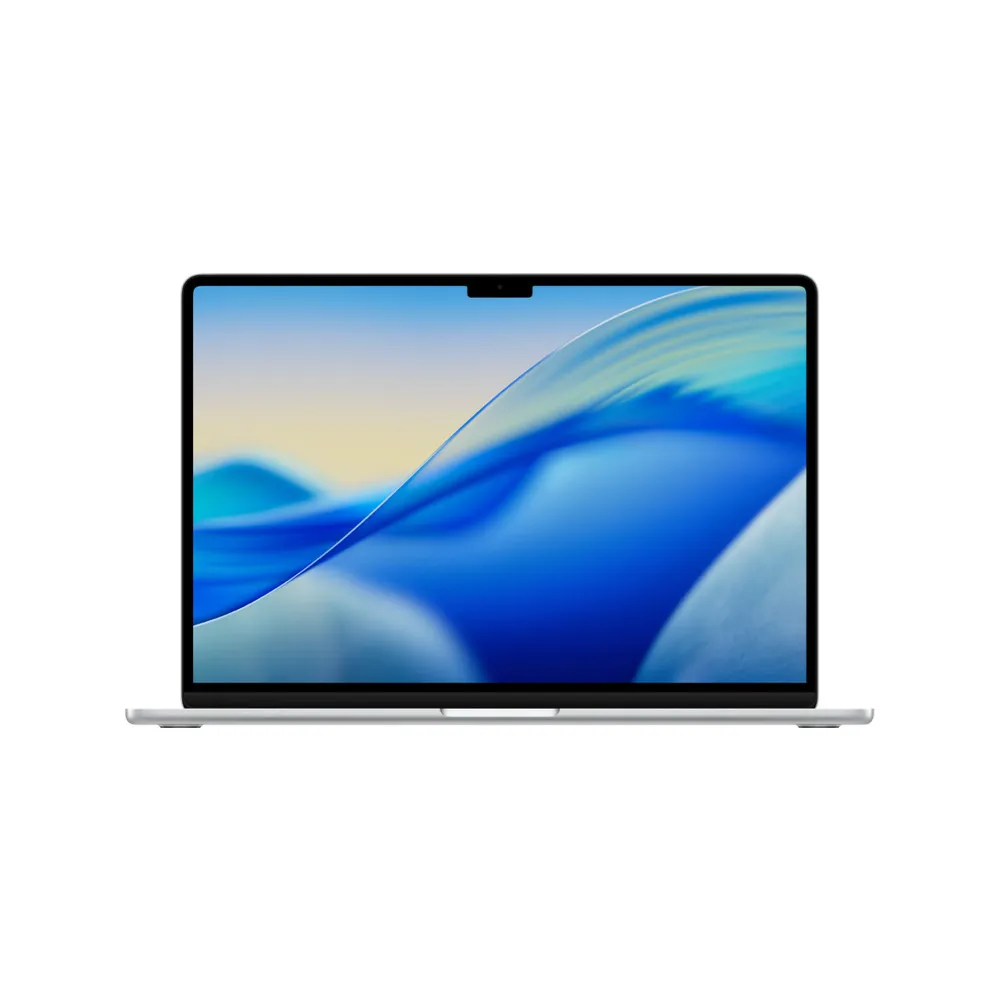
A refurbished MacBook comes at an accessible price. At iOutlet, all MacBooks undergo specialised technical testing and come with 24 months warranty on the refurbished range. In this guide you will find the full range of MacBook Air and MacBook Pro models with real data from our catalogue, and everything you need to know before buying in 2026. View current prices.
Also see our general refurbished laptop guide with all models and prices.
If you prefer a compact desktop, see our refurbished Mac mini guide.
Contents
- Refurbished MacBook Air prices
- Refurbished MacBook Pro Prices
- Which Refurbished MacBook to Choose in 2026?
- MacBook Air vs MacBook Pro
- Intel vs Apple Silicon
- Battery Cycles: What to Check
- Environmental Impact
- How to choose a refurbished MacBook
- Frequently asked questions
Refurbished MacBook Air prices in 2026
At iOutlet, a refurbished MacBook Air costs from 134.99 €, tested and with a warranty.
| Model | Chip | Ideal for |
|---|---|---|
| MacBook Air 13" (2017) | Intel i5 | Very basic use, simple web browsing |
| MacBook Air 13" (2018-2019) | Intel i5 | Office, email, Office suite |
| MacBook Air 13" (2020 Intel) | Intel i5 | Last Intel before Silicon |
| MacBook Air M1 (2020) | Apple M1 | Good value for money |
| MacBook Air M3 13" (2024) | Apple M3 | Wi-Fi 6E, 2 external displays |
| MacBook Air M4 15" (2025) | Apple M4 | Large screen + latest chip |
The MacBook Air M1 is our recommendation: ample performance for daily use, fanless (silent), up to 18 hours of battery life according to Apple, and smooth macOS.
The refurbished MacBook Air M1 is our recommendation for price-performance ratio in 2026, ideal for students and professionals who need portability without sacrificing performance.
Refurbished MacBook Pro prices in 2026
A refurbished MacBook Pro at iOutlet costs from 144.99 €, tested and with a warranty.
| Model | Chip | Ideal for |
|---|---|---|
| MacBook Pro 13" (2017) | Intel i5 | Basic budget use |
| MacBook Pro 13" (2018-2019) | Intel i5/i7 | Intel Productivity |
| MacBook Pro 16" (2019) | Intel i7/i9 | Large screen, top-tier Intel |
| MacBook Pro M1 13" (2020) | Apple M1 | Compact Pro, with fan |
| MacBook Pro M2 13" (2022) | Apple M2 | Development, editing |
| MacBook Pro 14" (2021) | M1 Max | Professional, 4K editing |
| MacBook Pro M1 Pro 16" (2021) | M1 Pro | Large screen, rendering, development |
| MacBook Pro M1 Max 16" (2021) | M1 Max | Rendering, ML, 8K editing |
| MacBook Pro 14" (2023) | Apple M2 Pro | Compact Pro, editing and coding |
| MacBook Pro M2 Pro 16" (2023) | Apple M2 Pro | XDR screen, top-tier Pro |
For most users, the MacBook Pro M1 13" is more than sufficient. Those who need Pro performance (4K video editing, intensive compilation, 3D renders) should look at the M1 Pro or M1 Max.
Which Refurbished MacBook to Choose in 2026?
Choosing the right model depends on your use case and budget. This table compares the main models:
| Model | RAM | Battery (according to Apple) | Weight | Ideal for |
|---|---|---|---|---|
| MacBook Air M1 | 8 GB | 15-18h | 1.29 kg | Students, office, web, media |
| MacBook Air M2 | 8 GB | 18h | 1.24 kg | Design, extreme portability, MagSafe |
| MacBook Air M3 | 8 GB | 18h | 1.24 kg | Wi-Fi 6E, 2 external monitors |
| MacBook Pro M1 | 8 GB | 17-20h | 1.40 kg | Developers, light edition, productivity |
| MacBook Pro M1 Pro | 16 GB | 17-21h | 1.60 kg | 4K video editing, compilation, 3D design |
| MacBook Pro M1 Max | 32 GB | 21h | 2.15 kg | Machine learning, renders, 8K editing |
Direct recommendations by profile:
- Student or general use: MacBook Air M1: more than enough power, long battery life, ultra-portable
- Creative / Developer: MacBook Pro M1: fan for sustained workloads, Touch Bar, longer battery life
- Video / design professional: MacBook Pro M1 Pro 14": dedicated chip, 120 Hz ProMotion display, HDMI 2.0
- Portable workstation: MacBook Pro M1 Max 16": 32 GB unified memory, 32-core GPU, up to 21 hours of battery life per Apple
For most budgets, the MacBook Air M1 is almost always the right choice. The price difference between M1 and M2 rarely justifies itself for everyday use; the M1 is compatible with macOS 27, the current version.
Refurbished MacBook Air vs MacBook Pro
| Criterion | MacBook Air (Silicon) | MacBook Pro (Silicon) |
|---|---|---|
| Weight | 1.24-1.29 kg | 1.40-2.15 kg |
| Fan | None (passive, silent) | Yes (better sustained performance) |
| Screen | Liquid Retina (up to 500 nits) | Retina on 13" Pro; Liquid Retina XDR (up to 1,600 nits and 120 Hz) on 14 and 16 Pro |
| Battery (according to Apple) | 15-18 h | 17-21 h |
| Ports | 2x USB-C / Thunderbolt | 3x Thunderbolt + HDMI + SD card (Pro 14/16) |
| Sustained performance | Good for short tasks | Excellent for long journeys |
| Ideal for | Portability, study, office | Development, editing, professional creation |
Golden rule: if you don't know whether you need a Pro, you probably don't. The MacBook Air M1 handles Xcode, Final Cut Pro, Photoshop and Lightroom with ease. The Pro makes a difference with long video exports and large project builds.
Intel vs Apple Silicon: is the upgrade worth it?
MacBooks with Apple Silicon (M1, M2, M3, M4) are significantly better than Intel across almost every relevant metric:
- Battery: more autonomy than Intel Macs, according to Apple's figures
- Performance: faster in multi-core tasks
- Temperature: run cool; the Air does not even have a fan
- macOS Support: macOS 27 only runs on Apple Silicon; Intel Macs remain on macOS Tahoe or earlier
An Intel MacBook is suitable for very basic use, web browsing, simple documents. However, the MacBook Air M1 is a clearly superior investment. The price difference translates into more years of macOS updates (Intel models no longer receive new versions), longer battery life and better performance.
Battery Cycles: What to Check Before Buying
The battery is one of the biggest concerns when buying a refurbished MacBook, but with the right information it is straightforward to assess.
How Apple battery cycles work: Apple designs MacBook batteries for 1,000 charge cycles. A full cycle equals one complete discharge from 0% to 100%.
What iOutlet checks:
- Current maximum capacity vs. original factory capacity
- Recorded cycle count (accessible in System Report, Power)
- Absence of battery-related hardware errors
- Functional charge and discharge test
Handy reference: the fewer cycles the battery has, the more headroom remains before reaching the 1,000 cycles indicated by Apple. Above 800 cycles may justify replacement in the medium term.
To check yourself after purchase: Apple Menu, About This Mac, System Report, Power, Battery Information, Cycle Count.
Environmental Impact: The Choice That Makes a Difference
Buying refurbished is not just about saving money; it is a decision with measurable environmental impact.
Production of a new MacBook Air M3: according to the Apple environmental reports, 2024, the carbon footprint of a 13" MacBook Air M3 is 135 kg of CO2 equivalent over its lifecycle, of which 75% (approximately 101 kg) is emitted during production.
When you buy refurbished:
- You avoid the majority of the production emissions of a new device (for the 13" MacBook Air M3, production accounts for 75% of the footprint, according to Apple)
- You extend the lifecycle of hardware that already exists and has been manufactured
- You reduce electronic waste: one of the fastest-growing waste streams in Europe
- The market for used and refurbished smartphones is growing by around 7% a year until 2031, according to Mordor Intelligence (Mordor Intelligence)
How to choose a refurbished MacBook
- Define the main use: web/Office/study: Air M1. Editing/development: Pro M1+. Workstation: Pro M1 Pro/Max
- Chip: Apple Silicon (M1 or later) if possible. Intel only for very tight budgets
- RAM: 8 GB for everyday use; 16 GB for development or video editing. On Silicon, unified memory is more efficient
- Storage: 256 GB minimum for daily use; 512 GB if you work with video, music or large projects
- Grade: describes only the external condition. A Grade C costs less, and a case covers most of the chassis marks
- Battery: confirms cycles and capacity (see section above). The fewer the cycles, the more headroom you have left
What a refurbished MacBook from iOutlet includes
| Criterion | iOutlet |
|---|---|
| Warranty | 24 months |
| No-quibble return | 14 days |
| Instalments | Klarna, where it is offered at checkout |
| Head office | Portugal (Coimbra) |
| Sales model | Direct sale, no marketplace |
| Support | Human, by email (reply within 48 hours) |
Buying a refurbished MacBook from iOutlet is a direct deal with the store, with no marketplace intermediary, with an invoice issued by a Portuguese company and email support with a reply within 48 hours.
Frequently asked questions
How much does a refurbished MacBook cost?
At iOutlet, refurbished MacBooks are available at an affordable price. Our recommendation for most people is the MacBook Air M1. Prices vary depending on the model, chip, RAM, storage and cosmetic grade. View current prices.
Is a refurbished MacBook worth it?
Yes, for most uses: a refurbished MacBook Air M1 has the same chip and the same features as the original, with 24 months of warranty on the refurbished range.
What is the difference between a refurbished MacBook Air and Pro?
The MacBook Air is lighter (1.24-1.29 kg), has no fan and is cheaper. The MacBook Pro has a better screen on the 14" and 16" models (Liquid Retina XDR, up to 120 Hz), active cooling for sustained workloads, more ports and longer battery life. For general use, the Air is sufficient; for professional creative work, the Pro makes a difference.
Does a refurbished MacBook receive macOS updates?
Yes. macOS 27, the current version, is compatible with all MacBooks with Apple Silicon (M1 and later, from 2020). Intel models no longer receive it and remain on macOS Tahoe or earlier.
Does a refurbished MacBook come with a charger?
No. Like all iOutlet refurbished devices, MacBooks are shipped in neutral packaging with the device only: no charger or cable. Before you buy, please confirm you have a compatible charger: Air and Pro models with USB-C accept any USB-C charger of suitable power, and 14" and 16" Pro models (2021 onwards) use MagSafe 3 but also charge via USB-C.
Sources: Apple Environmental Report MacBook Air M3 (2024) | Mordor Intelligence, Used and Refurbished Smartphone Market
Get more articles like this one.
Refurbished tech analysis + €5 with BEMVINDO5 on your first order. Valid on your first order of €50 or more.
More refurbished tech guides from iOutlet