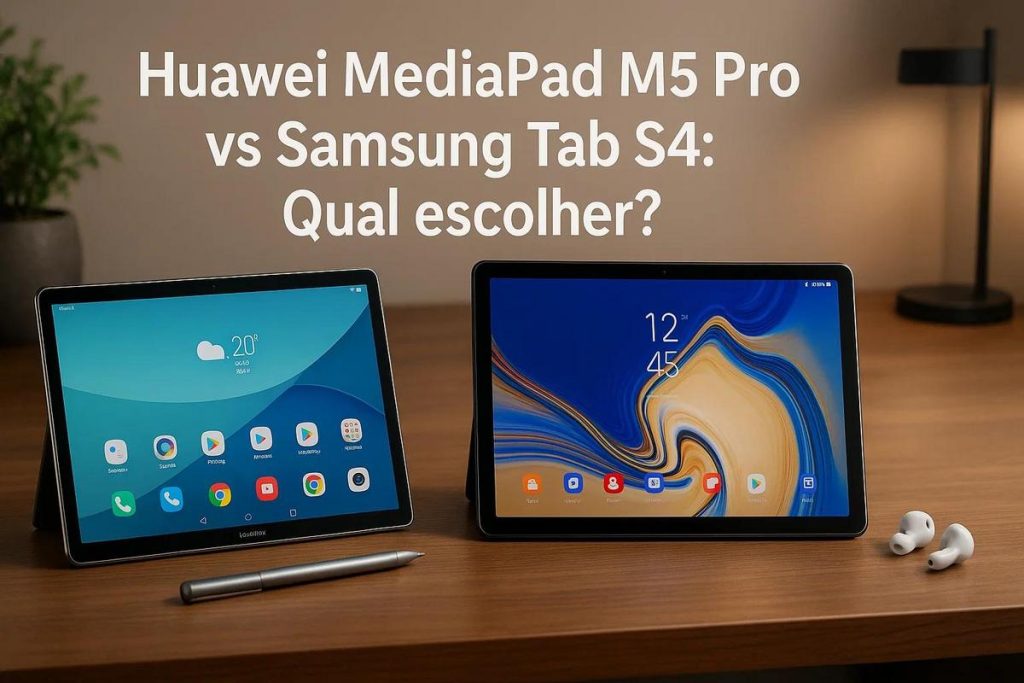
TL;DR:
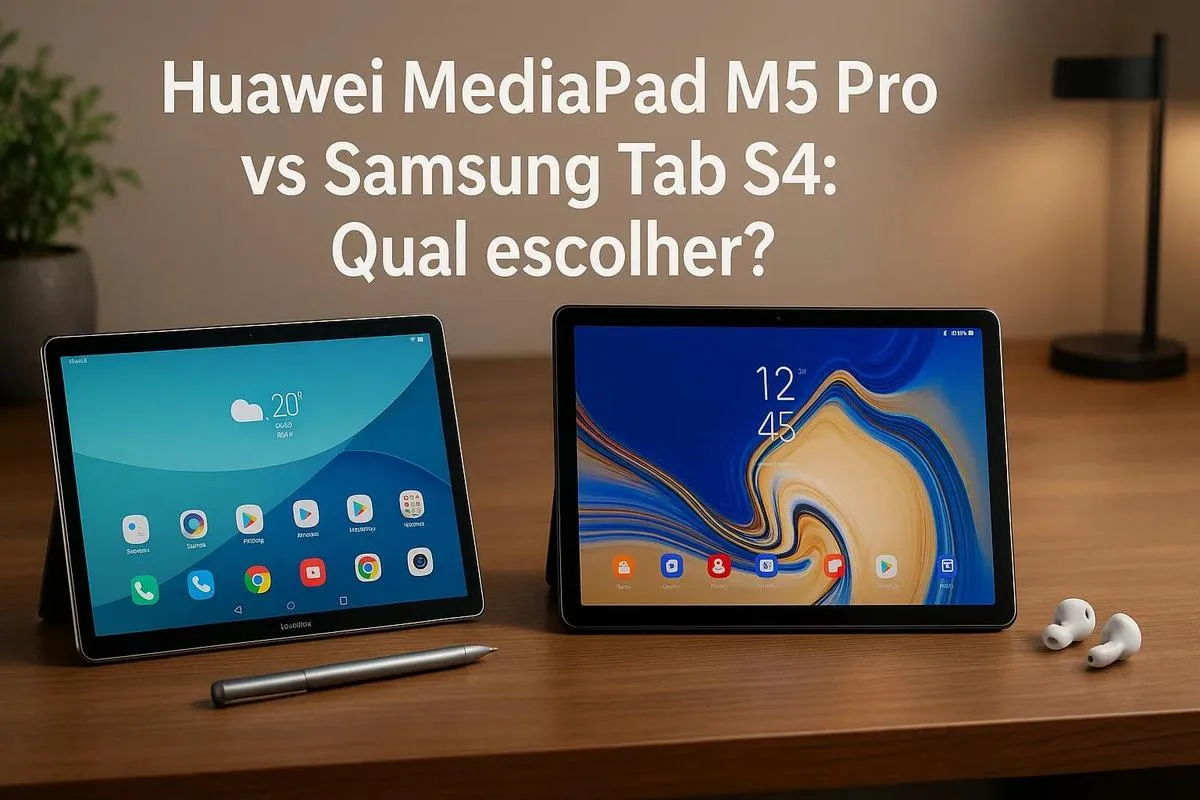
- Screen: Samsung Tab S4 has a 10,5'' Super AMOLED display with more vivid colours; the Huawei MediaPad M5 Pro has an 10,8'' IPS screen. Both have a resolution of 2560 x 1600 pixels.
- Processor: the MediaPad M5 Pro has a Kirin 960; the Tab S4 comes with a Snapdragon 835, which is more power-efficient.
- Multitasking and Gaming: the Tab S4 delivers better multitasking and gaming performance thanks to a superior refresh rate.
- Sound: the MediaPad has Harman Kardon speakers; the Tab S4 offers AKG-optimised sound with automatic adjustment.
- Use case: the Tab S4 is ideal for entertainment; the MediaPad M5 Pro is good for productivity and value for money.
In this article
Can't decide between the Huawei MediaPad M5 Pro and the Samsung Galaxy Tab S4? Both promise sleek design, impressive displays and powerful performance. But which one truly lives up to your tech expectations? I'll help you make the right choice, looking at everything from screen quality to performance and value for money. Let's find the best tablet for your needs.
Display and Performance
Which tablet is best for watching films? I'd say both the Huawei MediaPad M5 Pro and the Samsung Tab S4 have incredible screens, but there are differences. The MediaPad M5 Pro comes with a 10,8-inch display and a resolution of 2560 x 1600 pixels. That means sharp, detailed images. The Samsung Tab S4, meanwhile, has a 10,5-inch Super AMOLED screen, also offering 2560 x 1600 pixels. Colours on the Samsung are more vibrant, which is great for films and games.
Now let's talk about performance. The Huawei MediaPad M5 Pro uses a Kirin 960 processor. It's fast, but it can heat up a bit under heavy use. The Samsung Tab S4 comes with a Snapdragon 835 processor, which handles power efficiency and speed better. For anyone doing a lot of multitasking, the Tab S4 is a safe choice.
When it comes to gaming, both tablets handle modern games. However, the Samsung Tab S4 delivers slightly smoother gameplay. It has an edge when it comes to refresh rate.
So which is better?
If you value a vibrant screen and superior gaming and multitasking performance, the Samsung Tab S4 may be for you. But if price is a concern, the Huawei MediaPad M5 Pro offers a good balance of cost and features. Both are excellent options and won't disappoint.
If you already plan to use the tablet for specific tasks like watching films or gaming, it helps to know how these devices compare. They differ in key areas. Take your time to weigh up your choice and see which one best meets your needs.
Performance and Hardware: which is more powerful?
When it comes to modern tablets, performance is crucial. You want a fast, efficient device, right? Comparing the Huawei MediaPad M5 Pro and the Samsung Tab S4, you'll see that both the MediaPad M5 Pro and the Tab S4 offer solid performance, but in different ways.
Huawei MediaPad M5 Pro: this tablet comes with a Kirin 960 processor. It's powerful and handles multiple tasks at once. Whether you're working, studying or just watching videos, the MediaPad doesn't disappoint. The battery is strong, lasting a full day of use without trouble.
Samsung Tab S4: this is where things get interesting. The Tab S4 uses a Snapdragon 835 processor. It's a chip known for efficiency. However, in terms of raw power, the Kirin may have a slight edge. Both tablets have 4 GB of RAM, ensuring apps open quickly and games run smoothly.
Graphics and Gaming: if you like gaming, you need smooth, stutter-free graphics. Both tablets deliver this, but visuals on the Samsung Tab S4 are a touch more polished. Thanks to its more advanced GPU, games look more vivid. That makes a difference when your passion is high-resolution gaming.
Deciding which to choose: the Huawei MediaPad M5 Pro is great for productivity; it's like a mini office in your hands. The Samsung Tab S4, on the other hand, shines for entertainment and general use. Need help choosing? Think about what matters more: work efficiency or high-quality relaxation. Remember, the right choice maximises your daily satisfaction and efficiency.
Display and Resolution
When choosing a tablet, the screen matters a lot. Between the Huawei MediaPad M5 Pro and the Samsung Tab S4, who wins?
The Samsung Tab S4 has a 10,5-inch Super AMOLED display. It offers vibrant colours and deep blacks. The resolution is 2560 x 1600 pixels. That means sharp, detailed images.
The Huawei MediaPad M5 Pro, meanwhile, has an 10,8-inch IPS display. Resolution? Also 2560 x 1600 pixels. Colours are good, but not as vibrant as on the Tab S4.
So which screen is better? If you enjoy watching films or drawing, the Tab S4 may be your pick. It offers better colour and contrast. If image quality isn't your top priority, the MediaPad M5 Pro still delivers excellent resolution.
Why is the Samsung screen better? Super AMOLED technology shows colours more accurately. In bright conditions, the Samsung screen stands out with better visibility. Overall, the Tab S4 screen is more pleasing to the eye.
What else do these tablets offer? Each has its own strengths. While Samsung bets on its high-quality screen, Huawei offers interesting features in usability and battery life.
Both tablets are great, but consider how you'll use the device. If you need a spectacular screen for entertainment, the Samsung is ideal. For basic tasks without heavy media use, the Huawei does the job well.
Display and Sound Quality
You want a good screen and sound on your device. The Huawei MediaPad M5 Pro has a clear, bright 10.8-inch display. The resolution is 2560 x 1600 pixels. This gives sharp images and vibrant colours. Perfect for watching videos.
The sound on the MediaPad M5 Pro doesn't disappoint. It has four Harman Kardon-tuned speakers. This delivers clean, immersive audio. You feel every detail when watching films or listening to music.
The Samsung Tab S4 also offers an impressive screen. It has a 10.5-inch Super AMOLED display. The resolution is equally 2560 x 1600 pixels. Colours are deeper, creating great contrast.
What's more, the Tab S4 offers AKG-optimised sound. It has a four-speaker system. The audio adjusts automatically depending on the tablet's orientation. This makes everything sound perfect, whichever way you hold it.
So which is better for films and music? The Tab S4's Super AMOLED screen is hard to beat. The colours are incredible. Both devices deliver high-quality visuals, though. And sound? Both are great, but the Tab S4's dynamic optimisation adds something extra.
If you like vibrant images and clear sound, both tablets are good options. It depends on whether you prefer the colour depth of the Tab S4 or the distinctive sound of the MediaPad M5 Pro. If you're still unsure, reading more reviews might help. Think about how you'll use your device.
Conclusion
Comparing the Huawei MediaPad M5 Pro and the Samsung Galaxy Tab S4 reveals their unique strengths. The MediaPad M5 Pro impresses with its balanced screen and performance. The Tab S4, meanwhile, stands out for its software and superior build quality. The value of each depends on your needs. If you want a vibrant screen and good value for money, the Huawei may be better. But if you prefer robust software and a superior stylus, the Samsung is worth considering. Weigh up your priorities and choose wisely.
Also read
- How to install WhatsApp on a Samsung phone in 2025?
- How to unlock a Samsung phone without knowing the password?
- How to take a screenshot on a Samsung device, simply?
- View refurbished Samsung devices at iOutlet
Diagnostic tools
Get more articles like this one.
Refurbished tech analysis + €5 with BEMVINDO5 on your first order. Valid on your first order of €50 or more.