
drain on iPhone 16 battery: what causes it and how to regain battery life without losing features
In this article
- Overview: what changed on the iPhone 16 to use more power
- Technical details: four typical sources of invisible consumption
- 1) A18 and Apple Intelligence: AI in the background
- 2) Brighter and smarter screen
- 3) 5G and aggressive network switching
- 4) Camera and photo/video processing after capture
- Practical advantages: a quick-fix kit (without paranoia)
- 5-minute tweaks to curb immediate consumption
- Tweaks for those who want to go beyond the basics
- Limitations and challenges: realistic expectations and the learning period
- Next steps: when it makes sense to talk about a fault (and not settings)
- What to do now: a short plan to regain battery life
- FAQ
drain on the iPhone 16 battery is, in most cases, a side effect of an iPhone doing more things at once: on-device AI, a brighter screen, more active connectivity and post-processing of photos and video. The result is familiar: the percentage drops faster than on the previous model, especially in the first few days. The good news is that this is rarely a defect; it is a workload issue. The even better news is that there are concrete adjustments in iOS that reduce consumption without ruining the experience, and they help you work out when it is no longer software and could be hardware.
Overview: what changed on the iPhone 16 to use more power
The iPhone 16 was designed to run more tasks locally, with higher sustained performance and more sensors and routines working in the background. In practical terms, drain on the iPhone 16 battery happens when several elements overlap: AI processing (on-device or in the cloud), a screen that tends to stay at high brightness levels for longer, mobile networks switching between bands and a camera pipeline that keeps analysing content after you close the app.
There is also a factor that tricks many users: after setting up a new iPhone (or after a major update), the system spends days indexing photos, files and usage patterns. During that phase, drain on the iPhone 16 battery can be temporarily worse without any real problem at all.
Technical details: four typical sources of invisible consumption
When battery life drops, the temptation is to blame the battery. In practice, it is almost always consumption. Here are the most common suspects behind drain on the iPhone 16 battery, and what each one involves.
1) A18 and Apple Intelligence: AI in the background
On-device AI features (for example, rewriting, organisation, suggestions and automations) require CPU, GPU and Neural Engine cycles and frequent access to storage. On-device means the processing happens on the phone, which improves privacy and latency but increases consumption when tasks are running in the background. If you notice slight warmth and rapid drops off the charger, this is a strong candidate for drain on the iPhone 16 battery.
2) Brighter and smarter screen
The screen has historically been one of the biggest power users on a smartphone. With higher peak brightness and automatic behaviours (adaptation, HDR, always-on display, active widgets), consumption can climb without the user touching anything. If the percentage drops mainly during light use (messaging, social media, reading), the screen is often at the heart of drain on the iPhone 16 battery.
3) 5G and aggressive network switching
Modern modems are efficient, but the constant search for a better signal and switching between 5G/4G and Wi-Fi comes at a cost. In areas with patchy coverage, the phone hunts for a network and uses more power. That is why drain on the iPhone 16 battery can get worse when you are travelling, in buildings with poor reception or when Wi-Fi is unstable.
4) Camera and photo/video processing after capture
Depth mapping, object identification, location metadata and computational processing can continue after you save a photo. With video (and even more so with advanced formats), the post-processing and background analysis increase consumption and heat. If battery life vanishes on days when you have used the camera a lot, the drain on the iPhone 16 battery may be linked to pending processing queues.
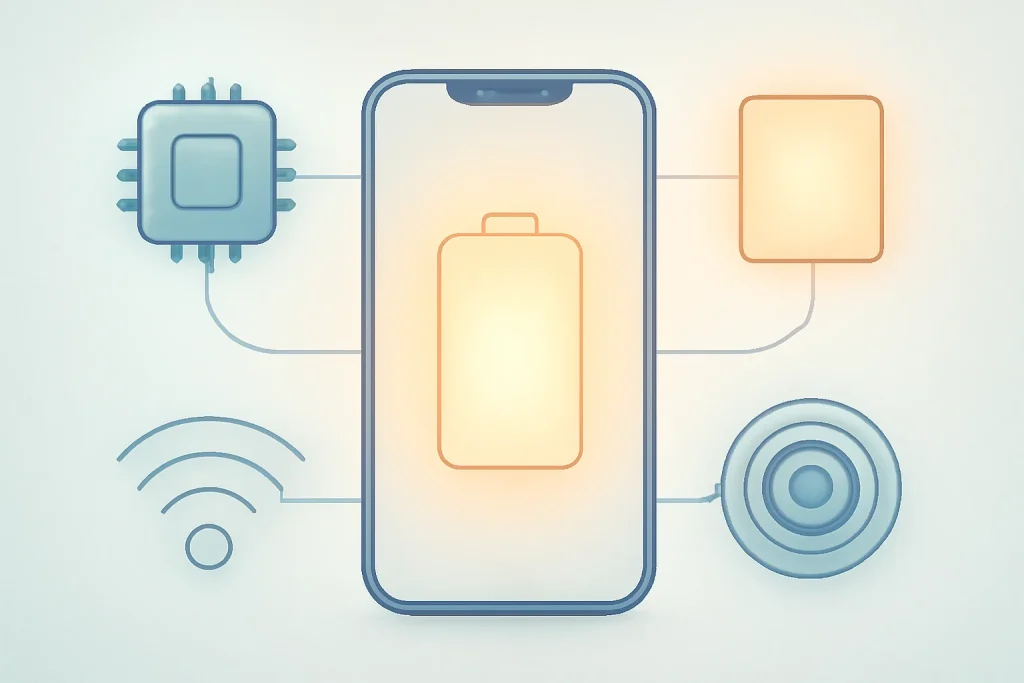
Practical advantages: a quick-fix kit (without paranoia)
The goal is not to turn everything off. It is to choose what makes sense for your usage and to reduce redundant work. These adjustments tend to deliver real gains when drain on the iPhone 16 battery is linked to background tasks.
5-minute tweaks to curb immediate consumption
Create a focus mode for power saving. A Focus can automate a set of restrictions when you are out of the house: reduce brightness, limit notifications and cut background tasks. The advantage is consistency: it does not rely on you remembering to fiddle with 10 menus.
Reduce the screen's aggression. Manually lowering brightness and reviewing options such as the always-on display (where applicable) usually has a direct impact. If drain on the iPhone 16 battery happens mainly with the phone in your pocket, also check that the screen is not waking too often with notifications and raise to wake.
Switch from always-on 5G to automatic mode. In many scenarios, letting the system manage when to use 5G reduces switching and avoids consumption spikes. In areas with a weak signal, it can be the difference between a normal day and an afternoon hunting for a socket.
Tweaks for those who want to go beyond the basics
Review what runs in the background. Apps with background refresh, frequent location access and aggressive synchronisation add up in terms of consumption. Rather than turning everything off, start with the apps that do not need to be alive constantly.
Control the AI features you do not use. If certain suggestions and automations do not add value for you, reducing their activity can ease the drain on the iPhone 16 battery. The logic is simple: fewer automatic tasks, fewer processing cycles.
After days of heavy camera use, let the phone breathe. If you have recorded a lot of video or taken many photos, keep the iPhone on the charger for a while so it can finish processing and backups with less impact on the next day's battery life.
Limitations and challenges: realistic expectations and the learning period
There is a difference between the battery is worse and the system is working. In the first 7 to 10 days after setup or a major update, iOS may index content and adjust usage patterns. During that window, drain on the iPhone 16 battery can seem disproportionate, but it tends to stabilise once background tasks finish.
It is also important to align expectations with the type of usage. Gaming, GPS navigation, video recording and heavy camera use are high-consumption scenarios on any smartphone. What changes on the iPhone 16 is that more intelligent features may be active at the same time, and that amplifies the energy cost.
Next steps: when it makes sense to talk about a fault (and not settings)
Not everything is software. If you notice abnormal drops overnight, unusual heat or unexpected shutdowns with a still-high percentage, it is worth diagnosing. A simple test is to observe behaviour in aeroplane mode overnight: if the loss is disproportionate, there may be a sensor problem, an app stuck in a loop or a system fault.
For official diagnostic steps and guidance, you can check Apple support at Apple Support. If the device is recent and you suspect a fault, also check the coverage conditions and procedures in warranty conditions and, where applicable, the support periods.
What to do now: a short plan to regain battery life
If you are dealing with drain on the iPhone 16 battery, do this in order: (1) wait a few days if the phone was set up recently; (2) reduce brightness and review the always-on display; (3) switch 5G to automatic and stabilise Wi-Fi; (4) limit AI tasks and background apps you do not need; (5) if abnormal losses persist in aeroplane mode, move on to diagnosis and support. This way, you improve battery life without turning a flagship into a basic phone.
For editorial transparency, the source text that prompted this analysis is available at Your iPhone 16 Battery Life Is a Lie (But You Can Fix It).
FAQ
- How long should I wait before assuming there is a problem?
- If the iPhone was set up recently or received a major update, give it a few days for indexing and optimisations. If the drain on the iPhone 16 battery remains clearly out of the ordinary after about two weeks, it makes sense to investigate further.
- How do I know if the consumption comes from the screen or from background tasks?
- If the percentage drops mainly with the screen on (light use), the screen is the suspect. If it drops with the phone sitting still, in your pocket or overnight, background activity (network, AI, synchronisations, location) is more likely.
- Is always-on 5G mode worth it?
- In areas with excellent coverage and heavy data use, it can make sense. When you are moving around or the signal is patchy, automatic mode tends to reduce switching and can help curb the drain on the iPhone 16 battery.
- Does turning off Apple Intelligence always fix it?
- Not necessarily. It can reduce consumption in some usage patterns, but the screen, network and camera can weigh just as much or more. The ideal approach is to adjust the AI features you do not use, rather than turning everything off by default.
- Is a big battery drop overnight always a fault?
- No. It could be an app stuck, synchronisation, an unstable network or system tasks. But if the loss is high even in aeroplane mode, or if there is unusual heat, it is worth contacting support and asking for a diagnosis.
Get more articles like this one.
Refurbished tech analysis + €5 with BEMVINDO5 on your first order. Valid on your first order of €50 or more.





