
'Limitless' with an activation warning: when Windows becomes an involuntary part of the exhibition
In this article
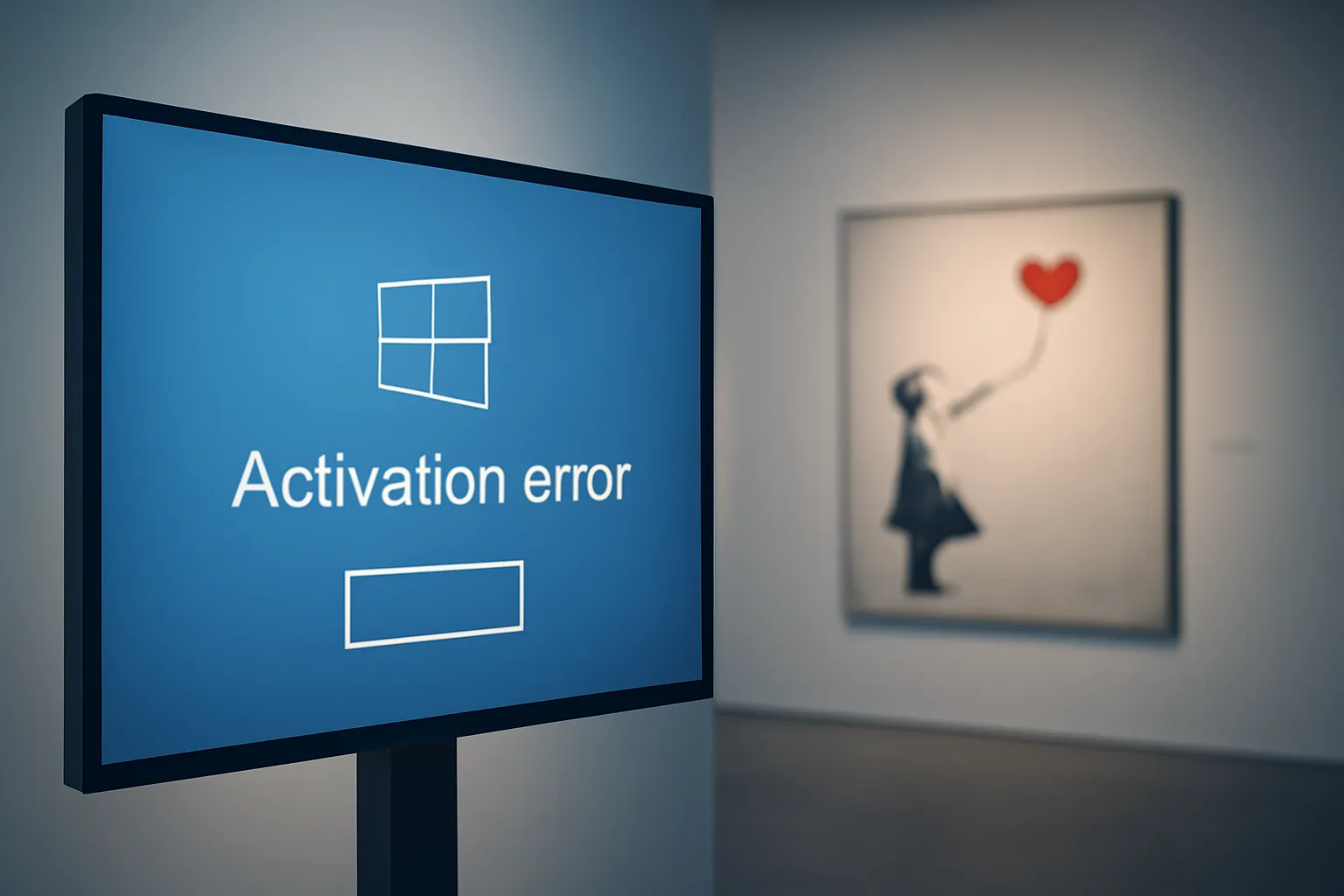
Visitors to a Banksy exhibition in South Kensington, London found interactive screens demanding attention for a reason that was hardly artistic: a Windows activation or licensing warning. The moment is absurd, and even fits the artist's satire, but it also exposes a real operational problem: kiosks and digital signage are 'infrastructure,' not just monitors. When the operating system goes into complaint mode, the public's experience is disrupted, the team wastes time, and the event's reputation suffers. The case, reported by The Register, matters to any organisation using PCs hidden behind screens in public spaces.
What happened (and why it's so visible)
According to the report, some of the venue's touchscreens displayed a typical Windows message when something is wrong: activation was not completed or is no longer considered valid. In a home setting, this is an annoyance; in a museum, shop, reception area or event, it becomes an unintended 'poster' that competes with the content.
There is also an operational detail: the average visitor does not have permission (and should not) to open Settings, log in with administrative credentials or resolve the activation. In other words, the fault remains 'stuck' on the screen until someone with technical access intervenes, and in the meantime, the installation loses its purpose.
For editorial transparency, the original story is at The Register.
Technical Details
Windows activation is the mechanism that validates the operating system licence and ties that licence to a device (or an organisation) to confirm that the installation is properly authorised. When something goes wrong, Windows can display persistent warnings on the desktop.
The article points to two plausible causes common in managed environments:
1) Licensing problems
There may be an incorrect licence for the type of use (for example, a licence that does not match the kiosk or signage scenario), an invalid key, or an activation that was not completed after installation or update.
2) Hardware changes
Component swaps (for example, motherboard, storage, or significant changes to the device's 'profile') can make Windows think it is in a different PC. In installations mounted in discreet boxes behind screens, these changes can happen during maintenance, replacement due to a fault, or a quick 'upgrade' before opening to the public.
There is also a contextual factor: kiosks and interactive screens tend to be configured to boot automatically into an application (kiosk mode, full-screen browser, museum software). If Windows interrupts this flow with an activation warning, the application is no longer the 'top' of the experience and the operating system becomes the protagonist.
Limitations & Challenges
The most interesting thing here is not the Windows 'meme' but the typical fragility of signage and interactivity projects when they are treated as 'a PC connected to a screen.' In public spaces, there are three recurring challenges:
Lifecycle management
Temporary exhibitions and installations move locations, are dismantled, reassembled and swapped for other hardware. If licensing and activation are not aligned with this cycle, the risk of unexpected messages increases.
Operation without keyboard or mouse
Many kiosks do not have accessible peripherals. When a system dialog appears, the team may need to open the equipment, connect a keyboard or access it remotely, and that is not always immediate during visiting hours.
Security vs. maintenance
Blocking public access is essential, but this blocking also limits quick fixes. The solution lies in well-designed remote management, separate accounts and clear intervention procedures.
If your organisation uses Windows in these scenarios, it makes sense to be aware of the options and best practices described in Microsoft's support documentation, including activation and troubleshooting topics in managed environments: official Microsoft support.
What this means for the visitor (and for the organiser)
For the visitor, the consequence is simple: the 'immaterial' experience (art, information, interaction) is interrupted by an administrative detail. For organisers and technical teams, the impact is broader:
Reputation and trust
At a ticketed event with sponsorship and public communications, a system warning conveys carelessness, even when the cause is mundane.
Real-time support costs
A single 'stuck' screen can require an urgent technician visit, backstage access, and post shutdown. In installations with multiple kiosks, the failure can replicate itself after an update or a poorly prepared system image.
Contingency planning
Critical content should have a 'degraded mode': an offline fallback, a looped video, or a secondary access path. This way, even if the kiosk fails, the public is not left without context.
Next Steps
The episode is a good reminder for any entity setting up kiosks, digital signage or interactive screens:
1) Validate licences and activation before opening
It is not enough to test the application; you must confirm that the system has no pending warnings and that reboots do not bring surprises.
2) Document hardware changes
Whenever a PC is replaced or updated, record what changed and anticipate the effect on activation. This reduces 'mysterious' problems the next day.
3) Prepare maintenance access
Remote access, securely stored credentials and a procedure for rapid intervention. In public installations, minutes count.
4) Rehearse the worst-case scenario
Simulate failures: no network, unexpected reboot, system warning, application that fails to start. The goal is to ensure the public continues to have an acceptable experience.
Perfect irony, and a useful warning
For an artist known for subverting everyday symbols, seeing a Windows warning intrude on the curation almost seems like an 'extra piece.' Still, beyond the joke, the warning remains: technology in public spaces demands operational discipline. Art may be limitless; infrastructure, if not well managed, is not.
FAQ
- Does an activation message mean Windows is pirated?
- Not necessarily. It can indicate incomplete activation, an incorrect licence for the scenario, or a hardware change that led the system to request revalidation.
- Why can a hardware change affect activation?
- Windows ties the licence to a device 'profile.' Significant changes can make the system interpret that it is a different machine and demand new activation.
- How can system warnings be prevented on kiosks and signage?
- With image preparation, tests after reboot, proper licensing for the use case, and a maintenance plan (including remote access) to resolve alerts before they reach the public.
- What should be tested before opening an installation to the public?
- Automatic application launch, behaviour after reboot, pending updates, connectivity (if required), kiosk user permissions, and the absence of system notifications or dialogs.
Get more articles like this one.
Refurbished tech analysis + €5 with BEMVINDO5 on your first order. Valid on your first order of €50 or more.





