
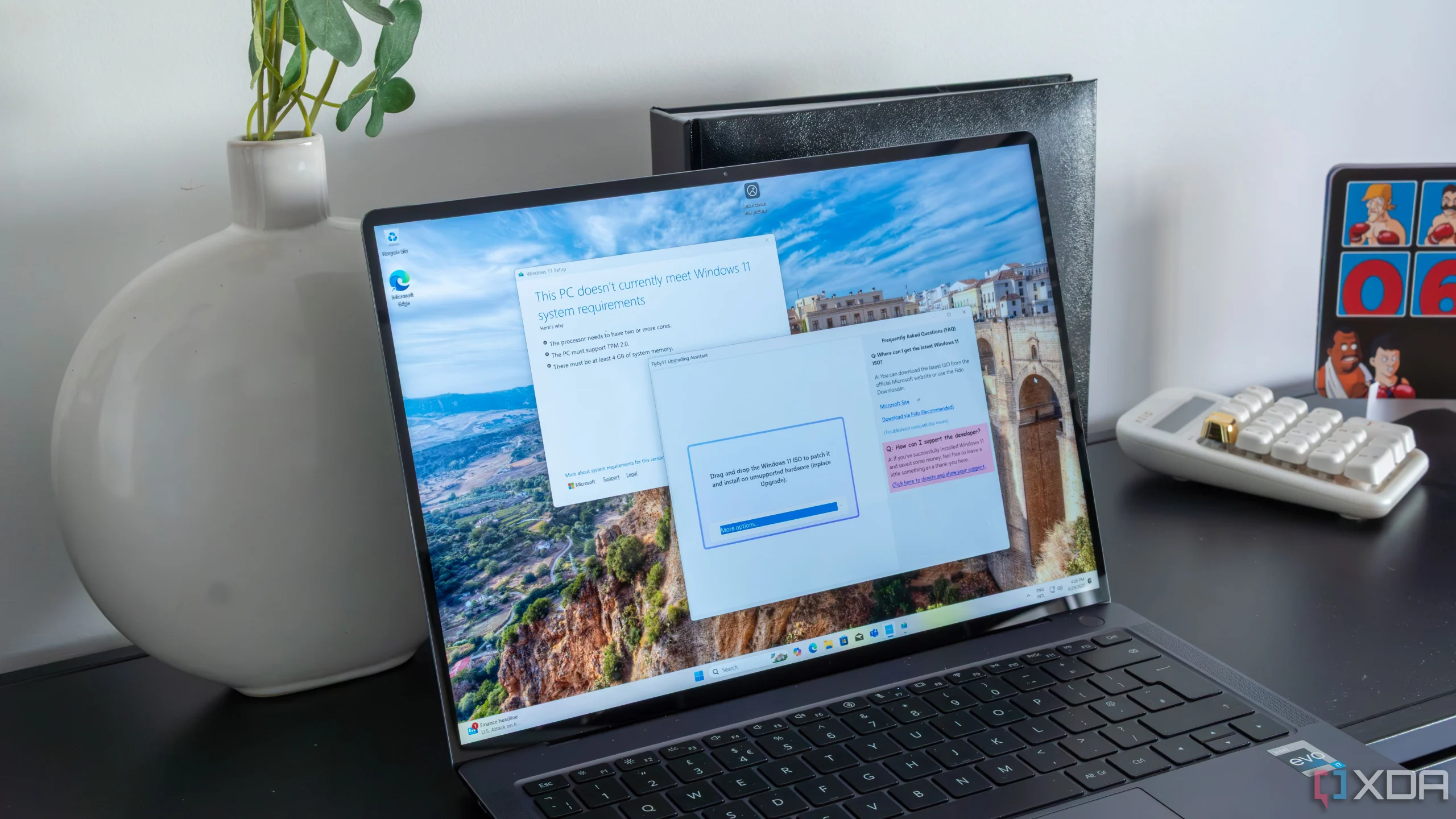
Flyby11, now renamed Flyoobe, gives users more control over the initial Windows 11 experience, allowing you to customise the installation process.
In this article
From Flyby11 to Flyoobe
With the transition from Flyby11 to Flyoobe, users looking to upgrade to Windows 11 now have a tool that not only simplifies the process but also offers more personalisation. Flyoobe lets you adjust the operating system's initial setup experience, known as OOBE (out-of-box experience). This update aims to give the user the power to remove unwanted elements and personalise the installation from the very first boot.
Technical Details
Flyoobe introduces new customisation options and visual improvements that make the transition to Windows 11 smoother. It also incorporates domain features that make it easier to integrate the system into corporate environments. Compared with other tools such as Rufus, which focuses on quickly creating bootable drives, Flyoobe stands out by offering detailed control over the installation process.
Market Impact
The transformation from Flyby11 to Flyoobe could significantly influence the choices of users looking to upgrade to Windows 11 without buying new hardware. By offering a robust alternative to the traditional method promoted by Microsoft, Flyoobe positions itself as an attractive solution for those who value personalisation and control.
Future Prospects
The future of Flyoobe looks promising, especially if it continues to evolve based on user feedback. The growing demand for solutions that allow detailed customisation in Windows 11 could drive further development of this tool. Future updates are expected to bring more features and interface improvements, cementing its position as a preferred choice for system upgrades.
FAQ
- What is OOBE?
- OOBE is the initial setup experience when installing an operating system for the first time.
- What are the advantages of Flyoobe?
- Flyoobe offers customisation of the Windows 11 installation, allowing you to remove unwanted elements and adjust settings from the start.
- How does Flyoobe compare with other tools?
- While tools like Rufus focus on quickly creating bootable drives, Flyoobe stands out by offering detailed control over the installation and personalisation of Windows 11.
Read also
What This News Means For You
Tech news moves fast. At iOutlet, we keep up with every update to ensure our refurbished products always deliver the best possible experience, with supported software updates and verified hardware.
Stay Informed
- Follow the iOutlet blog for the latest news on Apple, Samsung and technology
- Subscribe to our newsletter for exclusive offers on refurbished products
Get more articles like this one.
Refurbished tech analysis + €5 with BEMVINDO5 on your first order. Valid on your first order of €50 or more.





