
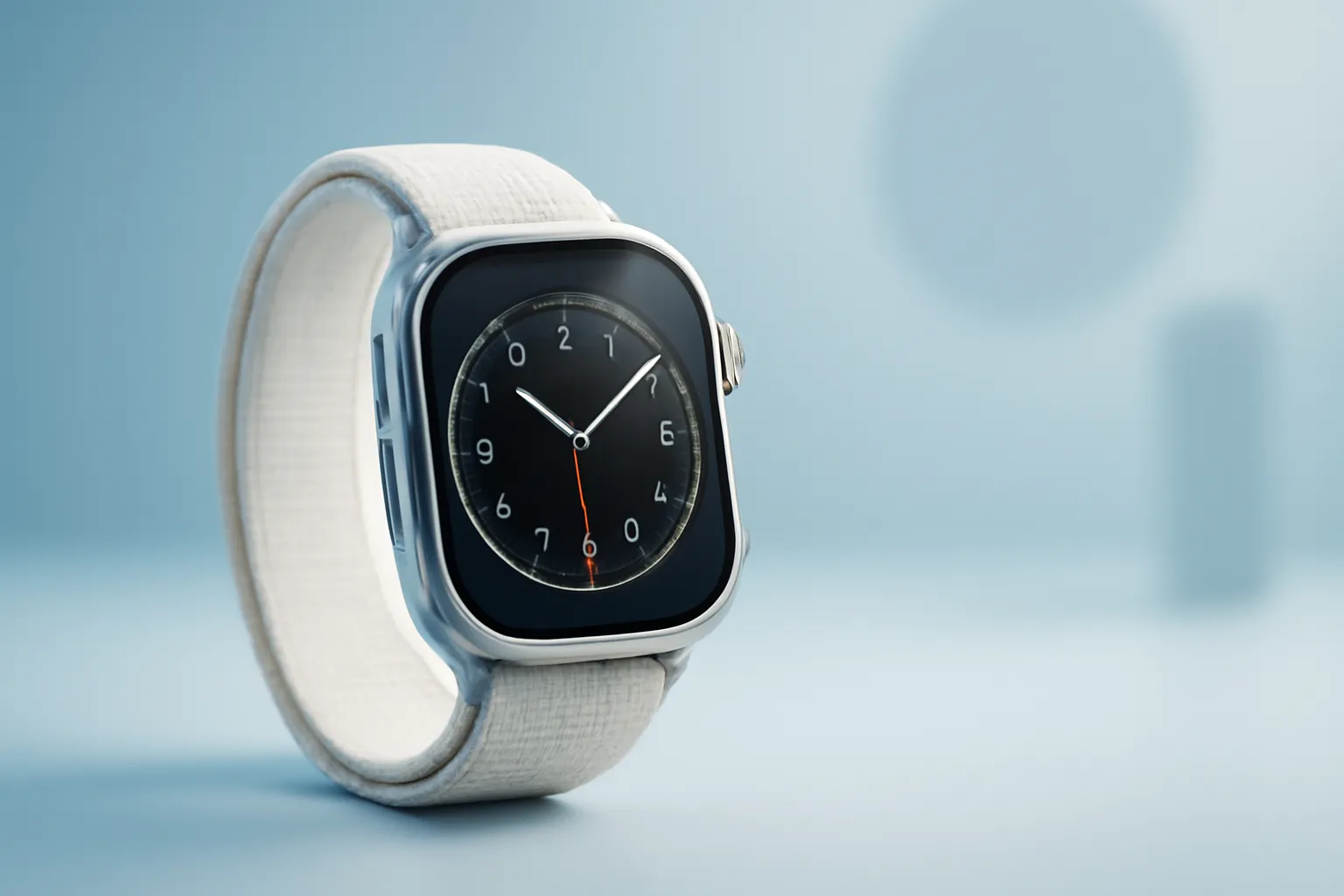
Apple Watch Ultra 2 review: more brightness, more control, less battery anxiety
In this article
- Global overview: what has changed and why it matters
- Architecture & specifications: display, chip, GPS and durability
- Practical advantages: where the Ultra 2 saves time (and peace of mind)
- Limitations & challenges: who it might not suit
- What changes for the user: ecosystem, real-world use and purchase decision
- Next steps: how to choose and set up without regrets
- FAQ
Apple Watch Ultra 2 review: the second generation of Apple's "adventurous" watch doesn't reinvent the formula, but it does solve real friction for anyone who trains, travels and spends the day away from a charger. The headline feature is the display with a significantly higher maximum brightness, the S9 chip (which makes everything more responsive) and gestures such as Double Tap for one-handed control. In practice, the Ultra 2 feels more like a piece of equipment than an accessory: useful in the office, convincing on the mountain and competent in the water, as long as you are comfortable with the size.

Global overview: what has changed and why it matters
The Apple Watch Ultra 2 builds on the same idea as the original Ultra: a rugged smartwatch with a 49 mm titanium case, built for intensive use and outdoor activities. The difference is in the polish. The display is now substantially more readable in direct sunlight (the source text notes 3.000 nits), which removes that annoying moment of tilting your wrist to see pace, maps or notifications.
There is also a less obvious but decisive change: the feeling of fluidity. The S9 SiP (System in Package, the watch's "brain" that integrates the CPU, controllers and other blocks) improves system response and enables faster interactions. For anyone who uses the watch as a day-to-day control panel, workouts, alarms, calls, payments and reminders, this matters more than a list of specifications.
If you are looking for quick context on how it fits within the lineup, it is worth cross-referencing this Apple Watch Ultra 2 review with a model comparison guide to understand what you lose (and gain) compared to the smaller series: compare Apple Watch models.
Architecture & specifications: display, chip, GPS and durability
There are four technical pillars that explain what the Ultra 2 offers. First, the Always‑On Retina display with high maximum brightness. "Nits" is a unit of luminance; in simple terms, more nits means better readability outdoors and more headroom to reduce brightness at night without losing contrast.
Second, the S9 SiP. Even without diving into numbers, the typical impact of a newer SoC or SiP in a wearable is clear: smoother animations, less latency when opening apps and greater consistency when switching between metrics, such as during a GPS and music workout. The source text also mentions on-device Siri, which, where applicable, tends to reduce network dependence and speed up simple commands.
Third, dual-frequency GPS (L1 + L5). In plain English: it uses two bands to improve positioning accuracy and robustness, especially in urban canyons (tall buildings), dense forest or valleys. For running and cycling, this means less jagged track logs and more stable pacing when the signal is difficult.
Fourth, the build. The titanium case and water resistance to 100 m, with EN13319 certification (noted in the source text) point to a watch that handles knocks, dust and water use with more confidence than an ordinary smartwatch. Even so, it is worth separating "durability" from "recommended use": for recreational diving, always follow the safety guidelines and the limitations of the equipment and app.
For an organised list of what is and is not new, this Apple Watch Ultra 2 review can be supplemented with: key Ultra 2 specifications.

Practical advantages: where the Ultra 2 saves time (and peace of mind)
The best way to evaluate this Apple Watch Ultra 2 review is to look at everyday micro-problems. First is readability. A screen you can read instantly in sunlight reduces errors: glancing twice at pace, missing an important notification, and it makes maps and compass more usable on the move.
Second is manageable battery life. The source text mentions around 36 hours of normal use and up to 72 hours in low-power mode, noting that watchOS optimisations help reduce battery anxiety. In practice, this means fewer defensive habits: turning off metrics, avoiding long GPS workouts, or carrying a charger for a day that is already full.
Third is one-handed control. Double Tap (pinching thumb and index finger together) is a detail that might seem like a gimmick, but it makes sense when your other hand is occupied: holding a bag, a gym bar, a pushchair or a walking pole. It does not replace touchscreen use for everything, but it reduces friction for repeated actions: answering calls, confirming actions, stopping timers.
Fourth is the Action Button. A customisable physical button shortens the path to critical tasks: starting a workout, marking a waypoint, activating the torch or entering a specific mode. Outdoors, fewer screen steps means less distraction and less time stopped.
Limitations & challenges: who it might not suit
There are two criticisms that consistently come up around the Ultra 2 and this Apple Watch Ultra 2 review should not gloss over them. The first is the size. The 49 mm case can be uncomfortable on smaller wrists and visually dominant in more formal settings. Titanium helps with weight, but it does not change the watch's presence on the wrist.
The second is the incremental nature for anyone who already has the original Ultra. If your current watch already gives you good readability and sufficient battery life, the upgrade may not be worth it. The Ultra 2 is, above all, a refinement: more brightness, a newer chip and improved interactions.
There is also the inevitable comparison with "training-first" sports watches. The source text notes that brands such as Garmin remain the preference for ultra-endurance athletes, especially due to multi-day battery life and deep training metrics. The Ultra 2, on the other hand, tends to win as a complete smartwatch with strong iPhone integration.
What changes for the user: ecosystem, real-world use and purchase decision
The Ultra 2 makes the most sense when the watch is part of the Apple ecosystem: calls, messages, payments and quick controls become natural extensions of the iPhone. If you already use AirPods and Apple services, the experience tends to be more cohesive and less frictional. If you live outside that ecosystem, the proposition weakens.
It also comes down to scenarios. If you run, hike, swim and travel frequently, the combination of a strong display, robust GPS and generous battery life is the right package. If your use is mostly notifications and step counting, a smaller model may be more comfortable and sufficient.
For anyone deciding between future generations and the current one, it can be helpful to read a perspective on the evolution of the line: Apple Watch Ultra 3 review. And if the purchase is a gift or for an undecided user, it is worth reviewing consumer support policies, such as: warranty.

Next steps: how to choose and set up without regrets
If this Apple Watch Ultra 2 review has put you on the path to "yes", start by deciding your dominant use case: GPS-based training, work with heavy notifications, or adventure (maps, compass, waypoints). Then set the Action Button to your most frequent action, that is where the watch starts saving you time.
Next, adjust brightness and watch faces. The Wayfinder face (mentioned in the source text) is more than just aesthetics: it puts useful data at a glance and, with night mode, reduces glare in dark environments. Finally, run a battery life test with your actual usage pattern for a few days: sleep, workouts and notifications. That is the most honest way to tell if the Ultra 2 gives you the freedom it promises.
On balance, the Apple Watch Ultra 2 review points to a product that wins through consistency: it reads better, responds better and holds up better. It is not the right watch for everyone, but for anyone who wants a smartwatch that behaves like a piece of equipment, it is one of the most complete propositions in the iPhone universe. For editorial transparency, the starting point for this adaptation was: original article.
FAQ
- Is the Apple Watch Ultra 2 "too much" for daily use?
- It depends on your wrist and style. In terms of features, it is excellent for day-to-day use; the biggest barrier is usually the 49 mm size and its visual presence.
- Does Double Tap work in all apps?
- Not necessarily. It is a gesture designed for common system actions and some experiences; availability can vary with watchOS and each app.
- Does dual-frequency GPS make a difference in the city?
- In theory, yes: it helps maintain accuracy between tall buildings and in areas with signal reflections. The exact gain depends on the route and local conditions.
- Can I use the Ultra 2 for diving?
- The source text mentions EN13319 certification and depth capabilities. Even so, always follow safety recommendations and check that your use (depth, environment, app) is within supported limits.
- Is it worth upgrading from the Apple Watch Ultra (1ª generation) to the Ultra 2?
- If you really value the brighter display, the greater fluidity of the S9 and Double Tap, it may be justified. If your current Ultra already serves you well, the change tends to be incremental.
- How can I maximise battery life without ruining the experience?
- Adjust auto-brightness, review notifications per app and use appropriate workout modes. Low Power Mode can be useful for travel, but it is best to test it before relying on it.
Get more articles like this one.
Refurbished tech analysis + €5 with BEMVINDO5 on your first order. Valid on your first order of €50 or more.





