
If you have lost your device, there is no need to worry! There are several ways to find it using certain Apple apps and services. In this article, we will show you how to locate an iPhone with features in just a few steps. You will learn how to use the Find My app, enable location on your device and, finally, how to use iCloud for this purpose.
In this article
- What do you need to locate an iPhone with features?
- How do I enable the location service on my iPhone?
- Is it possible to locate an iPhone using the phone number?
- What should I do if my iPhone is stolen?
- How can I enable Lost Mode on my iPhone?
- What is the best way to locate an iPhone?
- iCloud is an essential tool for finding your Apple devices, such as iPhones, iPads, Macs and others. With this feature, you can locate, lock and remotely erase your data, enable Lost Mode and much more. To get started, go to https://www.icloud.com/find and sign in with your Apple account.
What do you need to locate an iPhone with features?
To locate an iPhone, you will need an Apple account, such as an Apple ID. You will also need to enable the device Location feature in iCloud. This will allow you to locate the device using Apple's location service, Find My, which is available for iOS, iPadOS, macOS and watchOS.
In addition, you can use the app mentioned above to locate the device. The app is available for iOS, iPadOS, macOS and watchOS devices. You can download the app for free from the App Store.
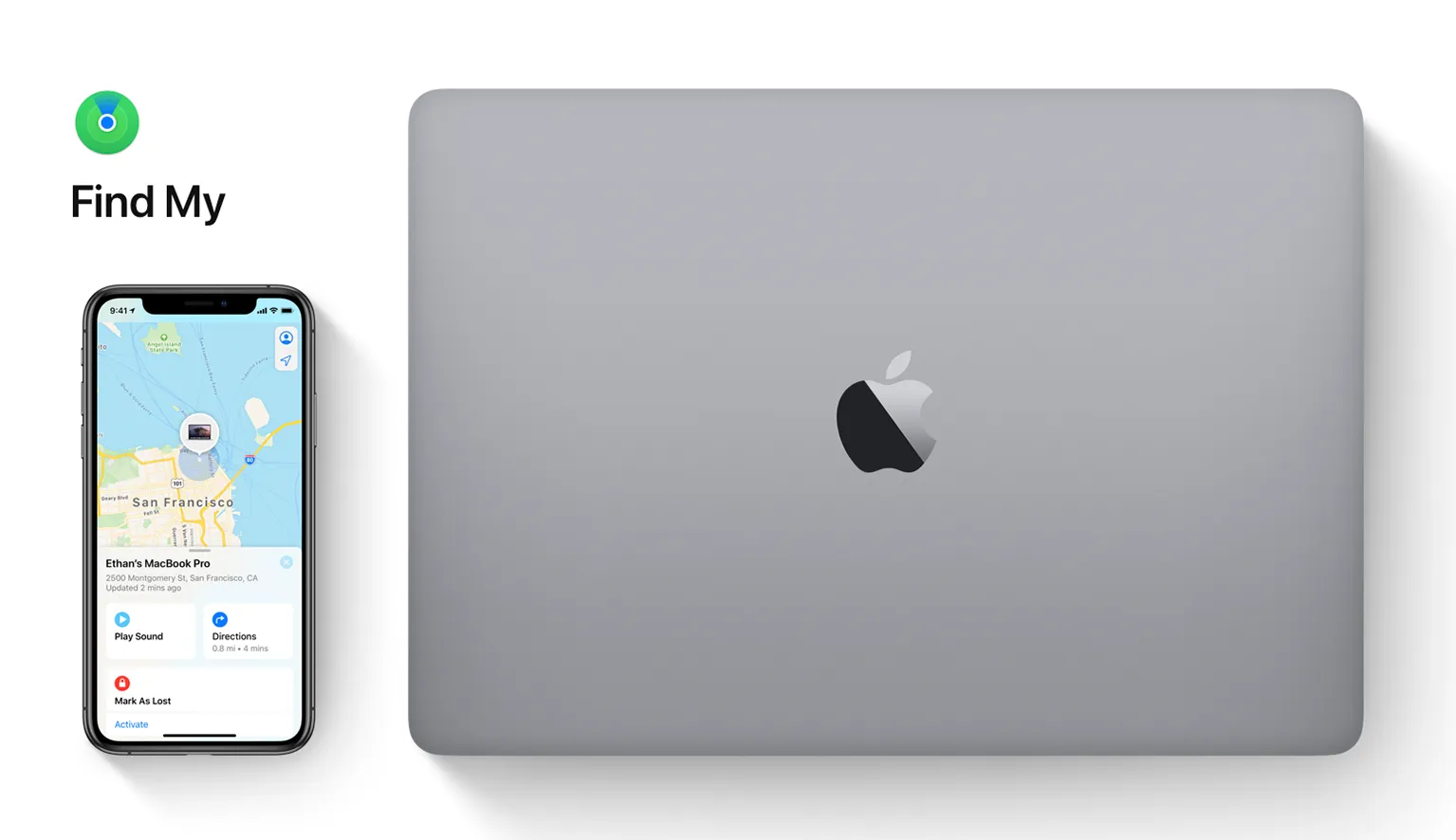
Once you have it, open it and sign in with your Apple ID. Select the device you want to locate and you will see a map showing the device's location. You can also use the app to play a sound on the device, lock the screen, display a security message or erase the data.
How do I enable the location service on my iPhone?
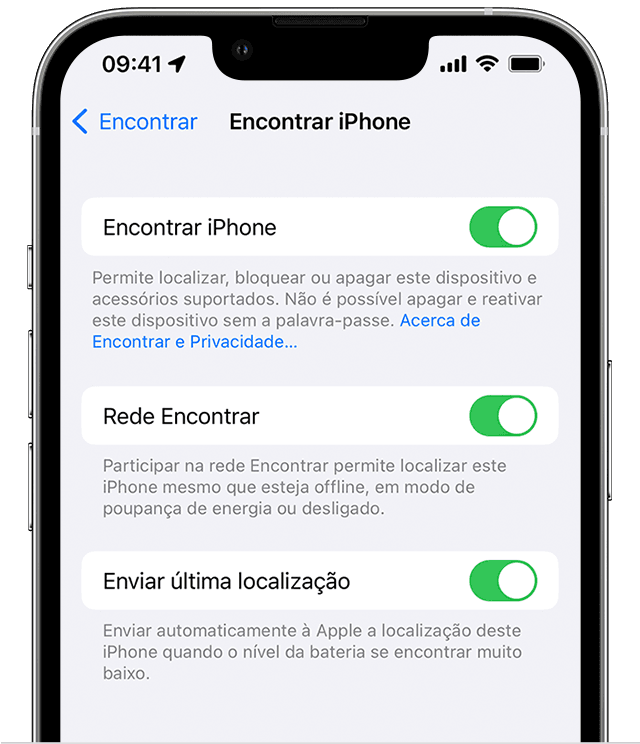
Enabling the location service on your iPhone is very easy:
- First, open your device's Settings and tap Privacy.
- Then choose Location Services and enable the location option for your device. You can also use iCloud's location service to find your iPhone, iPad or Mac. To do this, you need to have an Apple account and enable the location service on your device.
- To enable the location service, open your gadget's Settings and tap iCloud. Then select Location and enable the location service.
- Once the location service is enabled, you can use the iCloud.com website or the Find iPhone app to find what you have lost. You can also use Google Maps to look for your device if it is connected to the Internet. If it is switched off, you may still be able to see the gadget's last known location.
Is it possible to locate an iPhone using the phone number?
No, it is not possible to locate your iPhone using the phone number.
What should I do if my iPhone is stolen?
If your iPhone is stolen, there are a few steps you can take to try to recover it. First, go to Apple's website and sign in to your iCloud account. Here, you can enable the location feature so that you can locate the device.
In addition, you can use the "Find iPhone" app. To do this, open the app and enter your Apple ID and password. This will allow you to view the device on the map.
You can also use the app to: lock the device; display a message on the screen; erase all data; play a sound to find it if it is switched off. If the device is stolen by someone else, you can also use the app to lock it with a security password.
If you cannot locate it, contact Apple to report the theft. The company can help you and block access to the gadget.
How can I enable Lost Mode on my iPhone?
This is still an easy task. First, open Settings on your device. Then select your Apple account and choose the “iCloud” item. Now look for “Find iPhone” and enable the feature.
If you have an iPad or Mac, open the browser and go to the iCloud.com website. Sign in with your Apple account and look for “Find iPhone”. Enable the feature and you're done! You can now use Lost Mode to locate your device, send a security message, lock the screen and even erase all data from the device.
What is the best way to locate an iPhone?
The best way is to use the iPhone Find My app. The app is available for iOS devices and can be downloaded for free from the App Store. To use it, you need to have an iCloud account and enable Find My on the iPhone.
You can also use the app to locate other Apple devices, such as Macs, iPads and AirPods. Simply open the app, sign in with your Apple ID and choose what you want to locate.
iCloud is an essential tool for finding your Apple devices, such as iPhones, iPads, Macs and others. With this feature, you can locate, lock and remotely erase your data, enable Lost Mode and much more. To get started, go to https://www.icloud.com/find and sign in with your Apple account.
iCloud is essential for keeping your personal information secure, up to date and available anywhere. On iCloud.com, you can access your photos, files and much more from any web browser. Any changes you make will be synced with your iPhone and other devices, so you are always up to date. To start using Apple services, sign in with your Apple ID or create a new account at https://www.icloud.com/.
Diagnostic tools
Get more articles like this one.
Refurbished tech analysis + €5 with BEMVINDO5 on your first order. Valid on your first order of €50 or more.