
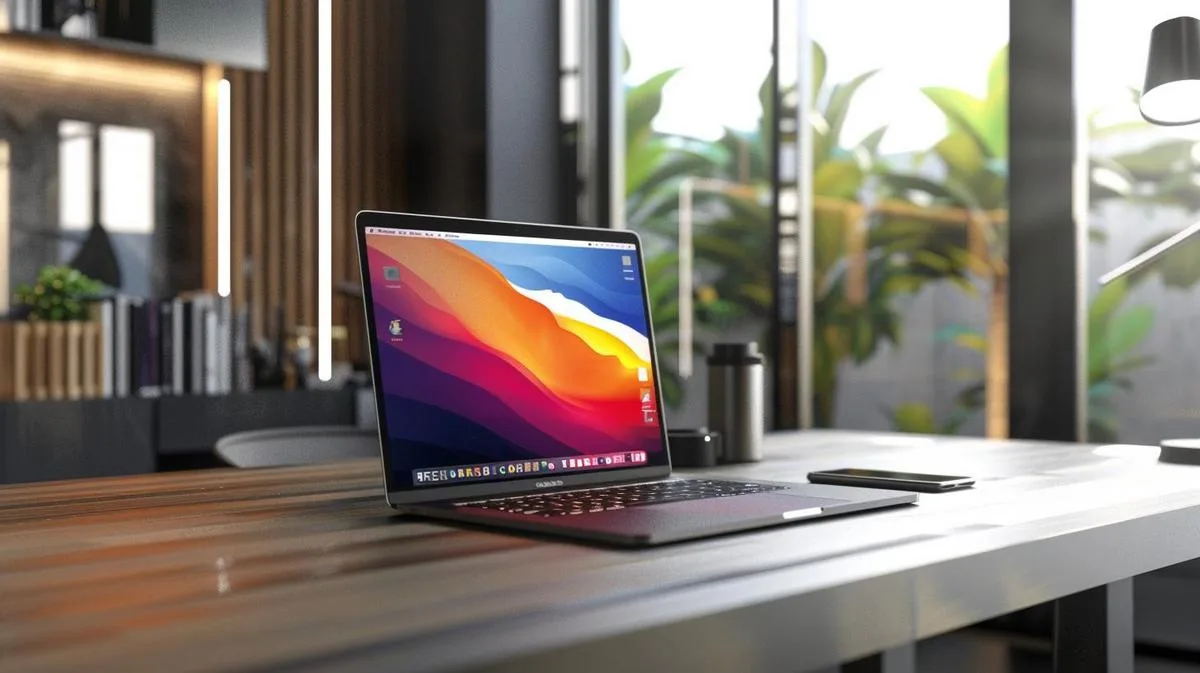
In 2026, the MacBook Pro 16" 2019/2020 (announced in November 2019, which is why it is often referred to as the "2020 model") continues to appear on the refurbished market at tempting prices. It is the machine that marked Apple’s return to the scissor-switch Magic Keyboard, with a 6-speaker sound system and redesigned thermal architecture. But it is also the last MacBook Pro 16" with an Intel chip before the arrival of the M1 Pro/Max in 2021. In 2026, that fact completely changes the equation. This 100% honest guide explains when it is still worth it, and when the jump to a refurbished M-series MacBook Pro is the obvious choice.
In this article
- MacBook Pro 16" 2019/2020: key specifications
- The good news: the machine is solid
- The bad news: Apple Silicon changed everything
- MacBook Pro 16" Intel vs M1 Pro / M2 Pro / M3 Pro
- When the MacBook Pro 16" Intel still makes sense
- The choice in 2026: refurbished MacBook Pro 14" or 16" M-series
- Buying a refurbished Mac from iOutlet: what to expect
- How to decide: MacBook Pro 16" Intel or M-series?
- Essential accessories for MacBook Pro 16"
- Frequently asked questions
- Does the MacBook Pro 16" Intel still get macOS updates in 2026?
- Is it worth paying more for a MacBook Pro 14" M1 Pro instead of the 16" Intel?
- Is 16 GB of RAM on Intel enough for video editing?
- Where can you buy a refurbished Mac in 2026?
MacBook Pro 16" 2019/2020: key specifications
- Launch: 13 November 2019
- Processor: Intel Core i7 (6-core) or i9 (8-core), 9th generation, up to 5 GHz
- Memory: 16 GB / 32 GB / 64 GB DDR4 at 2666 MHz
- Storage: 512 GB / 1 TB / 2 TB / 4 TB / 8 TB SSD
- Graphics: AMD Radeon Pro 5300M or 5500M, up to 8 GB GDDR6
- Display: 16" Retina, 3072×1920, True Tone
- Keyboard: Scissor-switch Magic Keyboard (no butterfly keys: finally)
- Sound: 6 speakers with force-cancelling woofers
- Ports: 4× Thunderbolt 3 (USB-C), 3.5 mm jack
- Battery life: up to 11 hours (claimed; 5-7 h real-world under heavy use)
- Weight: 2.0 kg
- macOS supported in 2026: macOS Sonoma (last; Sequoia and Tahoe are not supported)
The good news: the machine is solid
Let’s be fair: the Intel MacBook Pro 16" is a good machine. Apple fixed almost all the mistakes of the 2016-2018 design: it returned to the scissor-switch Magic Keyboard, improved the thermal system with 28% better airflow, brought back a physical Esc key and added a truly professional sound system. In everyday use (office work, browsing, web development), it does everything without complaint, and the 16" display remains excellent.
The bad news: Apple Silicon changed everything
In October 2021, Apple launched the MacBook Pro 14" and 16" with M1 Pro and M1 Max chips. The difference compared with the 2019/2020 Intel was so great that it changed market expectations:
- CPU performance: M1 Pro/Max is 2-3× faster in real tasks
- GPU performance: M1 Max crushes the Radeon Pro 5500M in any benchmark
- Battery life: 21 real-world hours vs 5-7 hours under heavy use on Intel
- Thermal efficiency: M-series runs cool and quiet where Intel gets hot
- Display: Liquid Retina XDR mini-LED, 1000-1600 nits, ProMotion 120Hz
- Ports: return of MagSafe + HDMI + SD card reader
In 2026, with M3 Pro/Max and M4 Pro/Max chips available in newer models, and refurbished M1 Pro/Max machines at competitive prices, buying an Intel MacBook Pro 2019/2020 only makes sense in very specific situations.
MacBook Pro 16" Intel vs M1 Pro / M2 Pro / M3 Pro
| Aspect | MBP 16" Intel (2019/20) | MBP 16" M1 Pro/Max (2021) | MBP 16" M3 Pro/Max (2023+) |
|---|---|---|---|
| Chip | Intel i7/i9 | Apple M1 Pro / M1 Max | Apple M3 Pro / M3 Max |
| CPU | Baseline | 2-3× faster | 3-5× faster |
| GPU | Radeon Pro 5500M | 32-core GPU (Max) | 40-core GPU (Max) |
| Display | Retina IPS | Liquid Retina XDR mini-LED | Liquid Retina XDR mini-LED |
| ProMotion 120Hz | No | Yes | Yes |
| Real-world battery life | 5-7 h | 14-21 h | 15-22 h |
| MagSafe | No | Yes | Yes |
| HDMI / SD | No | Yes | Yes |
| macOS in 2026 | Sonoma (last) | Sequoia / Tahoe | Sequoia / Tahoe |
| iOutlet recommendation | Only on a very tight budget | Excellent | Excellent |
When the MacBook Pro 16" Intel still makes sense
- You need Boot Camp / native Windows: possible only on Intel; M-series only runs Windows ARM in a VM
- Legacy 32-bit software or software that fails under Rosetta 2: rare in 2026, but it exists
- Very tight budget and the M1 Pro is out of reach
- Second professional laptop: for casual use with a large display
For any other professional profile in 2026, jump to a refurbished M-series MacBook Pro 14" or 16". The difference in productivity and satisfaction pays for itself in months.
The choice in 2026: refurbished MacBook Pro 14" or 16" M-series
This is the direct recommendation for 2026. The refurbished MacBook Pro 14" and 16" M1 Pro/Max are, today, genuine professional machines at very competitive prices. For those who want to go further, refurbished M2 Pro/Max and M3 Pro/Max offer real gains in GPU and sustained performance.
- 4K and 6K video editing: runs smoothly on any M Pro or Max
- Motion graphics and VFX: M Max with 32+ GB
- iOS, Android, ML development: M Pro is enough for most; Max for heavy builds
- 3D design, rendering: M Max preferred
- Professional music: any M Pro runs Logic Pro with dozens of tracks
Buying a refurbished Mac from iOutlet: what to expect
Every refurbished iOutlet Mac undergoes a full technical inspection before dispatch: battery tested with specialised technical software, display, keyboard, trackpad, ports, camera, speakers, Wi-Fi and Bluetooth. macOS reinstalled from scratch. 24-month warranty direct from iOutlet: it is not AppleCare, it is our own cover and includes the battery like any other component. Free delivery within up to 8 working days in Portugal and 14 days to return it with no questions asked.
How to decide: MacBook Pro 16" Intel or M-series?
- Will you use it for 4+ years? M-series, without hesitation. Intel is excluded from recent macOS.
- Video editing, motion or 3D? M Pro or Max: the difference is enormous.
- Do you care about battery life? M-series reaches 20+ real-world hours; Intel stays at 5-7.
- Do you want ProMotion 120Hz and an XDR display? Only on the M-series 14"/16".
- Need native Windows? Then yes, Intel is the only current Apple option.
Essential accessories for MacBook Pro 16"
- Case or sleeve in neoprene or hard shell: real protection when carrying it
- USB-C hub with HDMI, USB-A and SD reader (on Intel; M-series already has these)
- Additional charger: for home and office, without removing the cable every day
- External monitor 4K: productivity takes off with a second display
- External keyboard and trackpad Magic Keyboard / Magic Trackpad: for extended clamshell use
Frequently asked questions
Does the MacBook Pro 16" Intel still get macOS updates in 2026?
It stopped at macOS Sonoma. macOS Sequoia and Tahoe do not come to Intel hardware.
Is it worth paying more for a MacBook Pro 14" M1 Pro instead of the 16" Intel?
Yes: almost always. The M1 Pro is faster, has a better display (XDR mini-LED), MagSafe, HDMI, SD reader and 3x longer battery life. The difference in screen size (14" vs 16") exists, but everything else makes up for it.
Is 16 GB of RAM on Intel enough for video editing?
Just about. 32 GB is recommended for 4K and 6K. In any case, M Pro or Max with 32+ GB of unified memory pull ahead in perceived performance.
Where can you buy a refurbished Mac in 2026?
At iOutlet, with a direct 24-month warranty, battery tested with specialised technical software and free delivery within up to 8 working days.
Ready to choose? See all refurbished MacBooks Pro available at iOutlet, with a 24-month warranty, free delivery within up to 8 working days and 14 days to return it with no questions asked. For a general comparison, also see our which MacBook to buy guide.
Get more articles like this one.
Refurbished tech analysis + €5 with BEMVINDO5 on your first order. Valid on your first order of €50 or more.





