
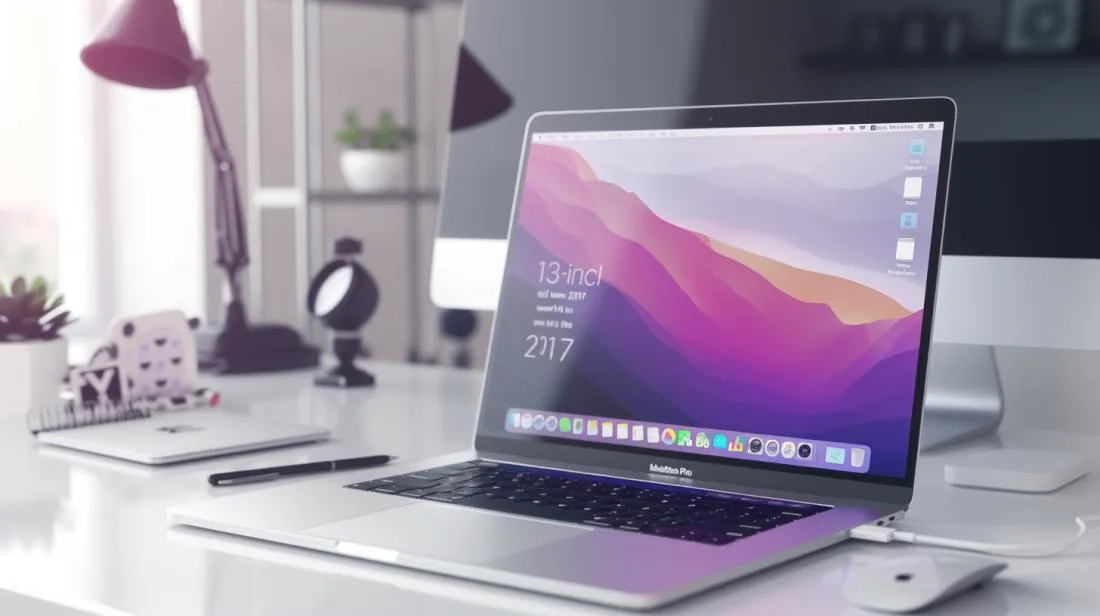
Are you considering a MacBook Pro 13" 2017 in 2026 and want to know the exact specifications before deciding? This technical guide covers everything: display, chip, RAM, SSD, ports, keyboard, battery life and real-world performance in 2026. At the end, we show a direct comparison with what makes more sense today: the refurbished MacBook Pro M1 (2020), with a 24-month iOutlet warranty.
In this article
- Display: still excellent in 2026
- Chip and memory: the weak point in 2026
- Storage
- Battery: depends on condition
- Butterfly keyboard: the persistent problem
- Force Touch trackpad
- Ports and connectivity
- Software support in 2026
- Comparison: MBP 13" 2017 vs refurbished MBP 13" M1 (2020)
- The smartest choice in 2026
- Why buy from iOutlet
- Frequently Asked Questions
- Does the MBP 13" 2017 still receive recent macOS versions in 2026?
- Can I upgrade the RAM in the MBP 13" 2017?
- Is the MBP 13" 2017 worth it vs a refurbished M1?
- What ports does the MBP 2017 have?
Display: still excellent in 2026
- Native resolution: 2,560 × 1,600 pixels (227 ppi)
- Size: 13.3 inches, LED backlight, IPS panel
- Brightness: 500 nits
- Colour gamut: P3 (wider than sRGB)
- Scaled resolutions: 1,680 × 1,050, 1,440 × 900, 1,024 × 640
In 2026, the MBP 2017 display still looks good for everyday tasks: text, web, video, light photo work. It does not have ProMotion (120 Hz) or mini-LED like later models, but P3 colour accuracy is retained and the 500-nit brightness is enough for indoor use.
Chip and memory: the weak point in 2026
This is where its age shows. The MBP 2017 13" uses 7th-generation Intel Kaby Lake chips:
- Base model: Intel Core i5 dual-core 2.3 GHz (Turbo up to 3.6 GHz)
- Upgrade: Intel Core i7 dual-core 2.5 GHz (Turbo up to 4.0 GHz)
- RAM: 8 GB LPDDR3 at 2,133 MHz (not expandable after purchase; 16 GB option)
- Graphics: Intel Iris Plus Graphics 640 (version without Touch Bar) or 650 (with Touch Bar)
There are only 2 cores. In 2026, any task that benefits from parallelism (rendering, compiling, video, motion graphics) clearly hits the limit. For direct comparison: an Apple M1 (2020) has 8 cores and beats this chip across all benchmarks (≈3× faster in multi-core on Geekbench 6).
Storage
- Configurations: 128 GB, 256 GB, 512 GB, 1 TB (PCIe NVMe)
- Read/write speeds above 2 GB/s: much better than any HDD or SATA SSD
- Not replaceable: soldered to the motherboard, so no easy upgrade is possible
The SSD is one of the parts that has held up best over time. In 2026 it is still fast enough for what matters: the bottleneck is the chip and RAM, not the storage.
Battery: depends on condition
Apple announced up to 10 hours of use in 2017. In 2026, most original batteries have lost a large part of their capacity. Expecting 4-7 hours in real-world use is optimistic, depending on condition. macOS has several power management features (low power modes, automatic brightness reduction, "Power Nap" for background maintenance): all still active in macOS Ventura, the latest supported version.
Butterfly keyboard: the persistent problem
The 2017 keyboard uses the 2nd-generation butterfly mechanism: an improvement over the original 2015 version, but still with a high failure rate. Characteristics:
- Very short travel (~0.55 mm): a feel unlike any other laptop keyboard
- Susceptible to failure due to dust under the keys
- Apple officially launched an extended repair programme for butterfly keyboards
- In 2026, it is one of the main reasons why an MBP 2017 may be unusable
Force Touch trackpad
One of the strong points that still holds up in 2026. Force Touch detects different pressure levels, supports precise multi-touch gestures and remains one of the best laptop trackpads to date. Unlike the keyboard, this component has aged well.
Ports and connectivity
- 2× Thunderbolt 3 / USB-C (version without Touch Bar) or 4× Thunderbolt 3 / USB-C (with Touch Bar)
- Only these ports (no MagSafe, no USB-A, no HDMI, no SD)
- Wi-Fi 802.11ac (no Wi-Fi 6)
- Bluetooth 4.2
The lack of traditional ports was heavily criticised at the time: in 2026 it is less relevant (USB-C is universal), but it still requires hubs/adapters for many scenarios (SD cards, older HDMI monitors, legacy peripherals).
Software support in 2026
The MacBook Pro 2017 lost official macOS support in 2024. The latest supported version is macOS Ventura (13). In 2026:
- No Apple security updates for more than 1 year.
- Several updated apps require macOS Sonoma or later.
- Updated browsers have remained on older versions.
- For professional or banking use, it is not recommended.
Comparison: MBP 13" 2017 vs refurbished MBP 13" M1 (2020)
| Specification | MBP 13" 2017 | Refurbished MBP 13" M1 (2020) |
|---|---|---|
| Chip | Intel Core i5/i7 dual-core | Apple M1 (8 cores) |
| Geekbench 6 multi (approx.) | ~2,700 | ~7,500 |
| RAM | 8/16 GB LPDDR3 | 8/16 GB unified |
| SSD | up to 1 TB PCIe | up to 2 TB PCIe |
| Display | 13.3" Retina P3 500 nits | 13.3" Retina P3 500 nits |
| Keyboard | Butterfly (problematic) | Magic Keyboard |
| Touch Bar | Some configurations | Some configurations |
| macOS | Ventura (no recent support) | Sequoia (supported) |
| Real-world battery life | 5-7 h | 15-17 h |
| iOutlet warranty | : | 24 months refurbished |
The smartest choice in 2026
Looking at the same specs side by side, it becomes obvious: the MBP M1 (2020) does almost everything better than the MBP 2017, costs a similar amount refurbished, and comes with a 24-month iOutlet warranty (including the battery). For the vast majority of cases, it is the smarter option.
See the refurbished MacBook Pro options available from iOutlet today: all with a 24-month warranty, battery tested with specialised technical software and free delivery within up to 8 working days in Portugal.
Why buy from iOutlet
Every refurbished MacBook from iOutlet goes through a full technical check before dispatch: battery tested with specialised technical software, display, keyboard, connections, camera, speakers and Wi-Fi. The warranty is a 24-month iOutlet warranty with direct cover (including the battery, unlike many competitors). We operate 100% online from Coimbra, with free delivery within up to 8 working days in Portugal and 14 days to return with no questions asked.
Frequently Asked Questions
Does the MBP 13" 2017 still receive recent macOS versions in 2026?
The latest supported version is macOS Ventura (13). With no recent Apple security updates, it is not recommended for professional use in 2026.
Can I upgrade the RAM in the MBP 13" 2017?
No. The RAM is soldered to the motherboard and must be chosen at the time of purchase. Models with 8 GB stay at 8 GB forever.
Is the MBP 13" 2017 worth it vs a refurbished M1?
A refurbished M1 (2020) in almost every scenario. It has ≈3× the multi-core performance, more than doubles battery life, supports current macOS and removes the butterfly keyboard.
What ports does the MBP 2017 have?
Only Thunderbolt 3 / USB-C (2 or 4 depending on the version). No MagSafe, no USB-A, no HDMI, no SD. For M1 Pro/Max models (2021+), MagSafe and more ports returned.
Ready to upgrade? See the refurbished MacBook Pro options available from iOutlet today: all with a 24-month warranty, free delivery within up to 8 working days and 14 days to return with no questions asked.
Get more articles like this one.
Refurbished tech analysis + €5 with BEMVINDO5 on your first order. Valid on your first order of €50 or more.





