
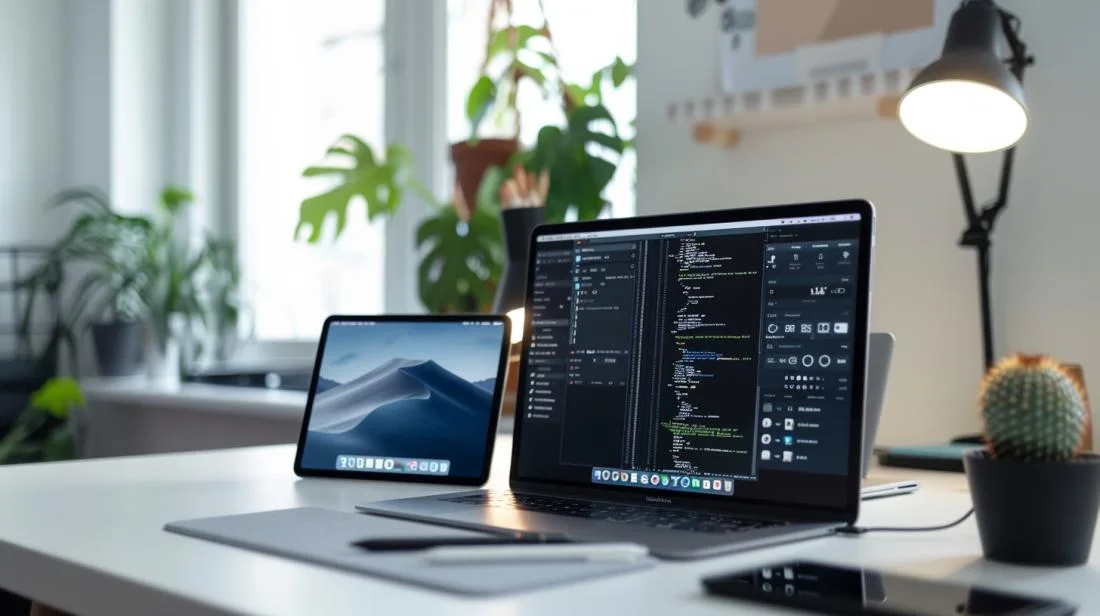
In 2026, comparing an iPad Pro with a MacBook Pro is no longer the technical exercise it was in 2019, because Apple has unified both ranges around the same silicon (M4 chip in current models) and both devices now share many elements of the experience. But the underlying question remains the same: for your real-world use, which is better value? And, for those looking at the refurbished market, does it make sense to buy a 2018-2020 iPad Pro or a 2019 MacBook Pro today?
In this article
- Performance: 2019 was one case, 2026 is another
- iPadOS vs macOS: the deciding factor
- Display and battery life in 2026
- 2026 comparison: current line-up
- The option that makes sense in 2026: refurbished
- How to decide between iPad Pro and MacBook Pro
- Frequently Asked Questions
- Can an iPad Pro replace a MacBook in 2026?
- Is it worth buying a 2019 iPad Pro or MacBook Pro today?
- Which refurbished iPad Pro is most recommended in 2026?
- What warranty does iOutlet offer?
This guide compares the two worlds, iPad Pro (M4 or A12Z/M1 generation) and MacBook Pro (M4 or Intel/M1 generation), across performance, battery life, display, operating system and total cost. It also includes the current market view: what makes sense to buy new, what is better refurbished, and where iOutlet comes in with a 24-month warranty and up to 60% savings.
Performance: 2019 was one case, 2026 is another
In 2019, the comparison made sense because the 16" MacBook Pro used an Intel Core i9-9980HK (8 cores, 2.40 GHz, 64GB DDR4) and the iPad Pro had the Apple A12Z Bionic chip with 6GB of RAM. In Geekbench benchmarks, both scored above 1,100 in single-core, but the MacBook was clearly ahead in multi-core (7,400 vs 4,656 points), thanks to its RAM and laptop thermal dissipation. For heavy tasks, video editing, 3D rendering, compiling, the MacBook won without much debate.
In 2026, the story is different. The iPad Pro with M4 chip and the MacBook Pro with M4 chip share the same base silicon. Single-core benchmarks are practically identical. Multi-core still favours the MacBook Pro M4 Pro/Max in long workloads (more performance cores, better active cooling), but for short to medium-term tasks, the difference fades. The real divider is no longer the "chip", it is form and system.
iPadOS vs macOS: the deciding factor
The operating system remains the biggest difference. iPadOS in 2026 has evolved a lot, with Stage Manager, external display connection, more flexible multi-window support and improved files, but it is still primarily a touch system, optimised for Apple Pencil, reading, notes and visual creation workflows. Apps such as Procreate, GoodNotes, LumaFusion or Final Cut Pro for iPad are exemplary.
macOS, on the other hand, is Apple's complete system for traditional productivity: robust window management, native Unix terminal, support for Xcode, Logic Pro, full Final Cut Pro, Adobe Creative Cloud, virtual machines (Parallels), and the complete desktop app ecosystem. If your workflow involves coding, exporting a lot of 4K/ProRes video, working with servers or "traditional" professional tools, the MacBook wins without debate.
Display and battery life in 2026
The iPad Pro M4 brings a Tandem OLED display with brightness up to 1,000 nits SDR and 1,600 nits HDR, ProMotion 120Hz and support for Apple Pencil Pro. It is, simply, the best display you can hold in your hands. The MacBook Pro 14"/16" has a Liquid Retina XDR display with mini-LED, ProMotion 120Hz and HDR brightness up to 1,600 nits. Both are excellent, the iPad wins on portability, the MacBook on ergonomics for long sessions.
For battery life, both easily reach 10 to 18 hours in real-world use, depending on the tasks. The iPad Pro tends to hold up better for light use (reading, video, web); the MacBook Pro maintains more stable performance in sustained workloads, rendering, long exports, compiling.
2026 comparison: current line-up
| Criterion | iPad Pro M4 (2024) | MacBook Pro 14" M4 (2024) |
|---|---|---|
| Chip | M4 (4P+4E or 4P+6E) | M4 / M4 Pro / M4 Max |
| RAM | 8GB or 16GB | 16GB to 128GB |
| Display | Tandem OLED 11"/13", 120Hz | Liquid Retina XDR 14", 120Hz |
| System | iPadOS (touch-first) | macOS (desktop-first) |
| Ports | 1× USB-C / Thunderbolt | 3× Thunderbolt + HDMI + SD + MagSafe |
| Keyboard/mouse | Optional Magic Keyboard (extra) | Included |
| New price (PT) | from 1.199€ (iPad Pro 11" 256GB) | from 1.999€ (M4) |
The option that makes sense in 2026: refurbished
This is where the picture changes. A refurbished M1 or M2 generation iPad Pro offers more than enough performance for 95% of users in 2026, including 2nd generation Apple Pencil, ProMotion 120Hz, mini-LED display on the 12.9", at a fraction of the price of a new M4. Likewise, a refurbished MacBook Pro with an M1 Pro or M2 Pro chip still outperforms any Windows laptop in the same range, with the added advantage of the 24-month iOutlet warranty.
At iOutlet, every device goes through a complete technical check before dispatch: battery tested with specialised technical software, display, connections, cameras, keyboard and speakers. The warranty is 24 months on refurbished devices, twice what Apple offers as standard on new models. Free delivery within up to 8 working days in Portugal and 14 days to return with no questions asked.
How to decide between iPad Pro and MacBook Pro
- Is your work touch-based or keyboard-based? Drawing, notes, illustration, reading, iPad. Programming, long-form writing, complex editing, MacBook.
- Do you need specific macOS software? Xcode, Logic Pro, Parallels, full Adobe, MacBook only.
- Mobility or ergonomics? Light commuting bag, plane, waiting room, iPad. Desk, 4h+ sessions, MacBook.
- Budget: for the price of a MacBook Pro 14" M4 (1.999€), you can get a high-end refurbished iPad Pro plus the Magic Keyboard, with money left over.
- How long will you keep the device? Both last 6-8 years. Think about the amortised total cost.
Frequently Asked Questions
Can an iPad Pro replace a MacBook in 2026?
For many creative users and students, yes, especially with Magic Keyboard, Apple Pencil Pro and current iPadOS. For developers, advanced Adobe professionals or users of specific desktop software (Logic, full Final Cut, Parallels), the MacBook remains indispensable.
Is it worth buying a 2019 iPad Pro or MacBook Pro today?
The 2019 MacBook Pro with Intel is a valid option only if it is very cheap (under 600€), it no longer receives recent macOS versions and is less efficient than any M1. The 2018-2020 iPad Pro (A12X/A12Z) is still useful for light tasks, but for a solid investment, choose a refurbished M1 generation or newer.
Which refurbished iPad Pro is most recommended in 2026?
The iPad Pro 11"/12.9" with M1 or M2 chip offers the best value for money refurbished. It has performance equivalent to recent laptops, supports Apple Pencil 2 and ProMotion. See the refurbished iPad Pro options available at iOutlet.
What warranty does iOutlet offer?
24-month warranty on all refurbished iPads Pro and MacBooks Pro, with direct iOutlet cover (including the battery, unlike many competitors). 18 months on the Outlet line (used). Free delivery within up to 8 working days in Portugal.
Undecided? Compare the refurbished iPad Pro options and refurbished MacBook Pro devices available today at iOutlet side by side, all with a 24-month warranty, free delivery within up to 8 working days and 14 days to return with no questions asked.
Get more articles like this one.
Refurbished tech analysis + €5 with BEMVINDO5 on your first order. Valid on your first order of €50 or more.





