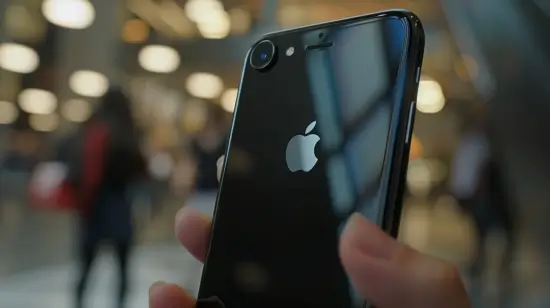
If you've just purchased an iPhone 7 Plus, you may need to set it up for the first time before using it. In this guide, we show you how to set up the iPhone 7 Plus for the first time easily and quickly.
In this article
- Step 1: Turn on the iPhone 7 Plus
- Step 2: Select language and region
- Step 3: Connect to a Wi-Fi network
- Step 4: Set up Touch ID and passcode
- Step 5: Set up iCloud
- Step 6: Enable location services
- Step 7: Set up Apple Pay
- Step 8: Set up "Hey Siri"
- Step 9: Complete the setup
- Conclusion
- Additional Tips
- Need Help?
Step 1: Turn on the iPhone 7 Plus
Press the "Power/Sleep" button located on the side of the iPhone 7 Plus to turn it on.
Step 2: Select language and region
After turning on the iPhone, select the language and region you are located in.
Step 3: Connect to a Wi-Fi network
Connect the iPhone to a Wi-Fi network to continue the setup. If no network is available, you can skip this step and set up a connection later.
Step 4: Set up Touch ID and passcode
Set up Touch ID and your passcode to protect your iPhone and make it more secure.
Step 5: Set up iCloud
Set up an iCloud account or sign in to your existing account to sync your data with your iPhone, including contacts, calendar, notes, photos and much more.
Step 6: Enable location services
Allow the iPhone to use location services to provide accurate location information and improve your user experience.
Step 7: Set up Apple Pay
Set up Apple Pay to make payments quickly and securely using your iPhone.
Step 8: Set up "Hey Siri"
Set up "Hey Siri" to use Apple's virtual assistant without needing to touch your device.
Step 9: Complete the setup
After setting up all the steps, complete the iPhone 7 Plus setup and start using it.
Conclusion
With these simple steps, you can set up your iPhone 7 Plus for the first time. It's important to properly set up Touch ID, your passcode, your iCloud account and other features to ensure security and the best user experience. Try following this step-by-step guide and start enjoying your new iPhone 7 Plus!

Additional Tips
- Back up first before making any important changes to your device
- Keep iOS/macOS updated: updates fix bugs and improve security
- Restart your device if something doesn't work as expected after following the steps
Need Help?
If you're having trouble, you can contact Apple Support or visit our tutorial section on the iOutlet blog for more guides.
Diagnostic tools
Get more articles like this one.
Refurbished tech analysis + €5 with BEMVINDO5 on your first order. Valid on your first order of €50 or more.