
iOutlet
Laptop grading guide
iOutlet describes each laptop on two axes: visual grade and functional condition. The visual grade refers only to exterior wear. The functional condition appears in the Functionality field of the listing and indicates how the device performs and whether any fault has been identified.
Always read the listing for the specific unit. A photograph or specific description takes precedence over the general examples in this guide.
Example photos by grade
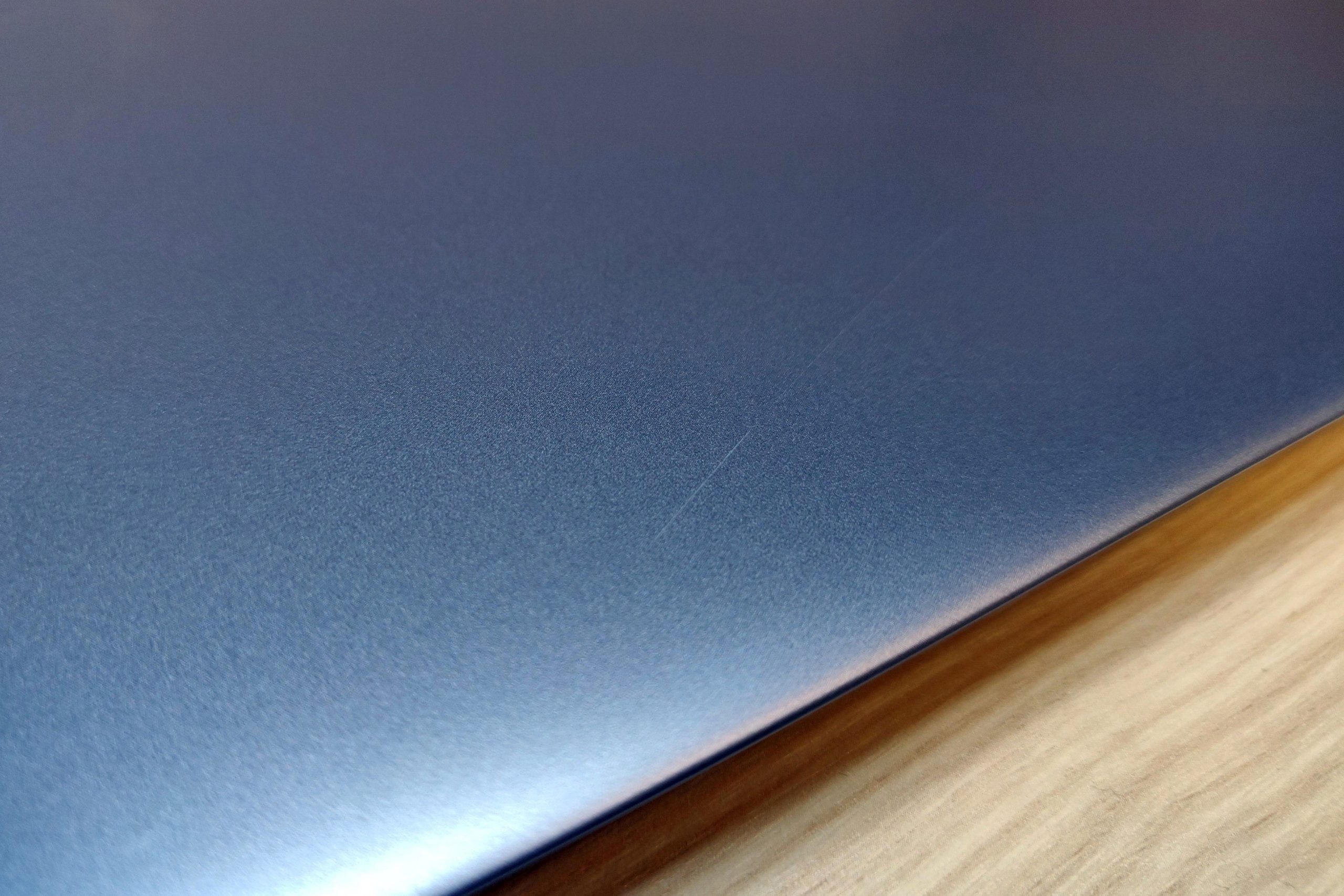
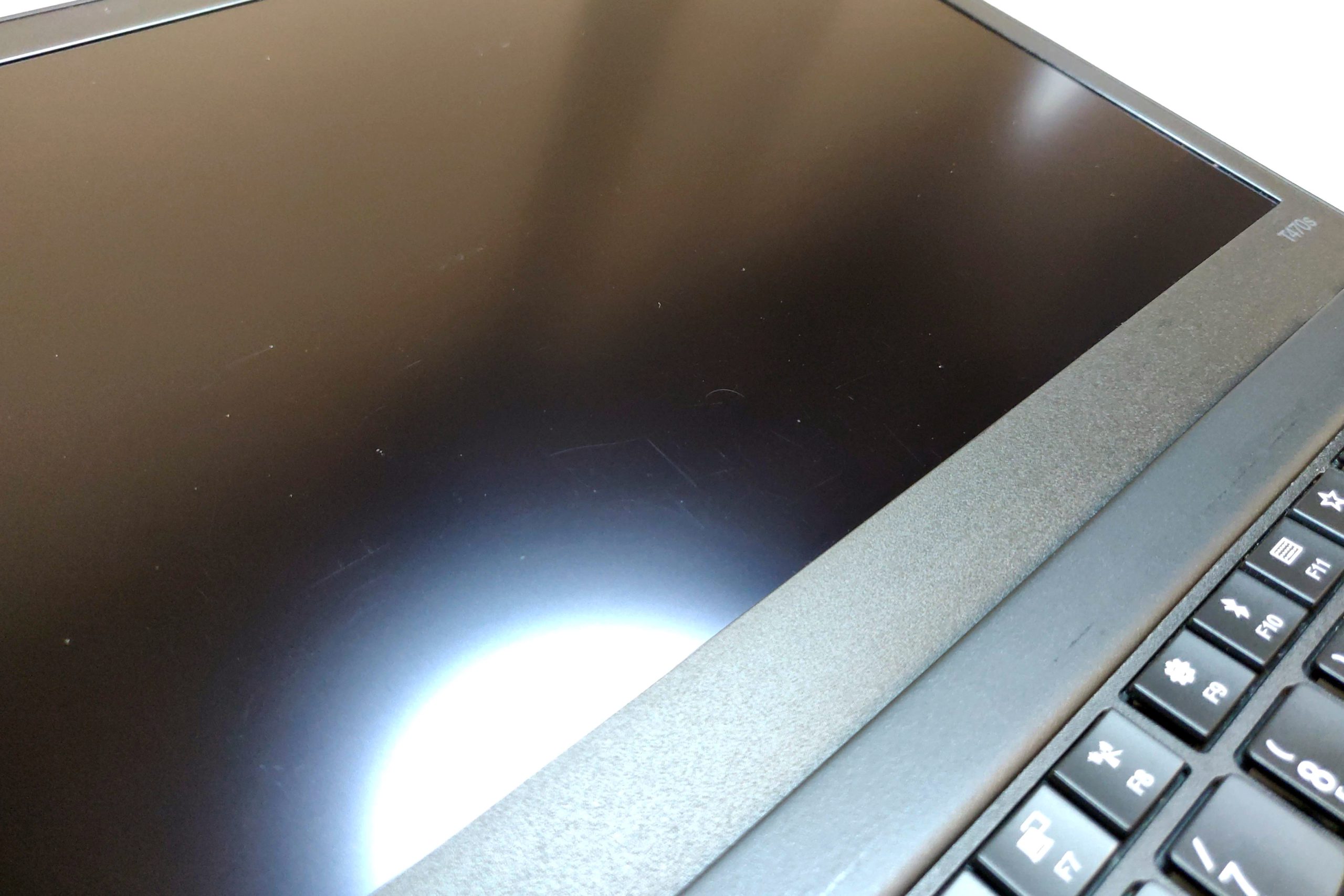
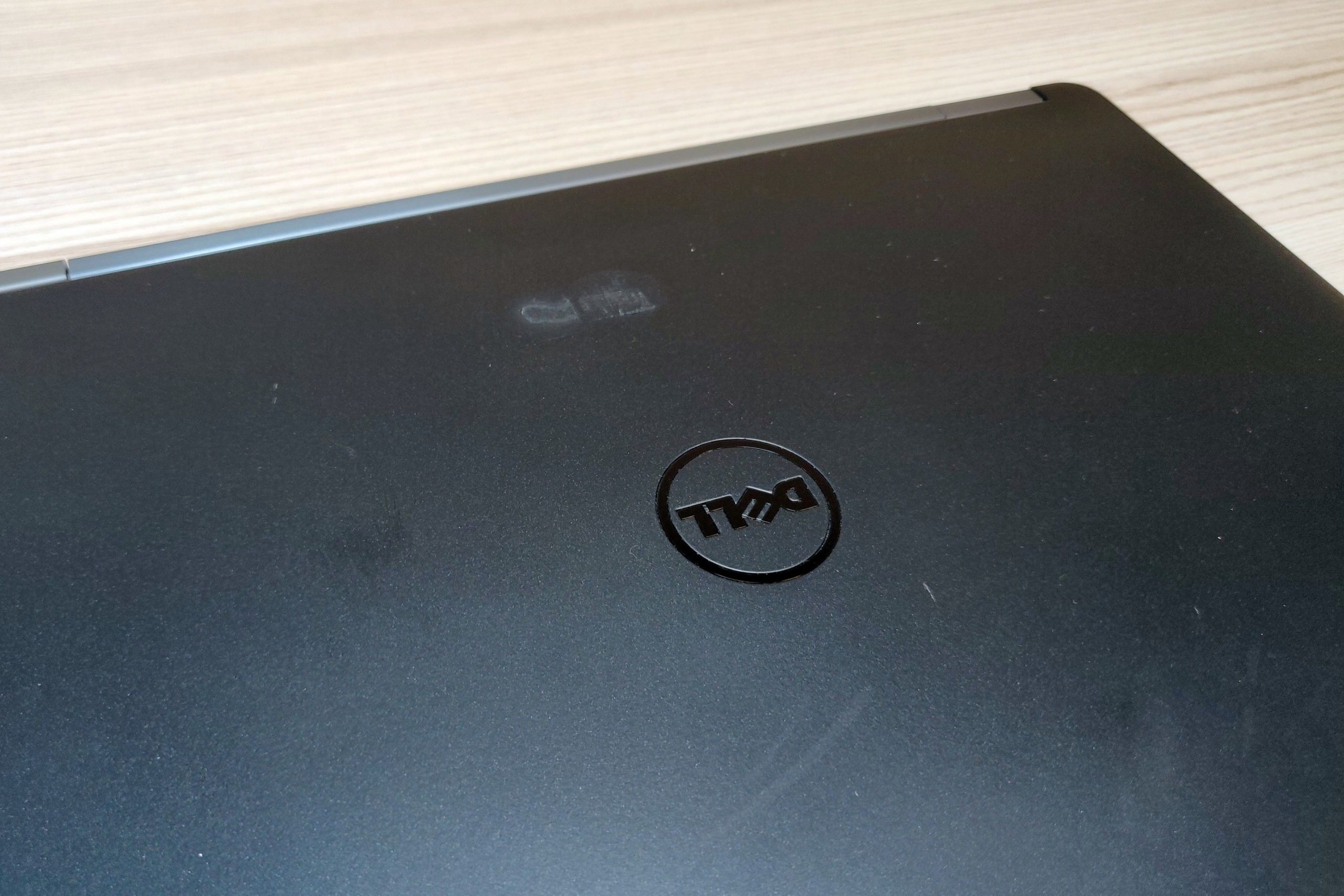
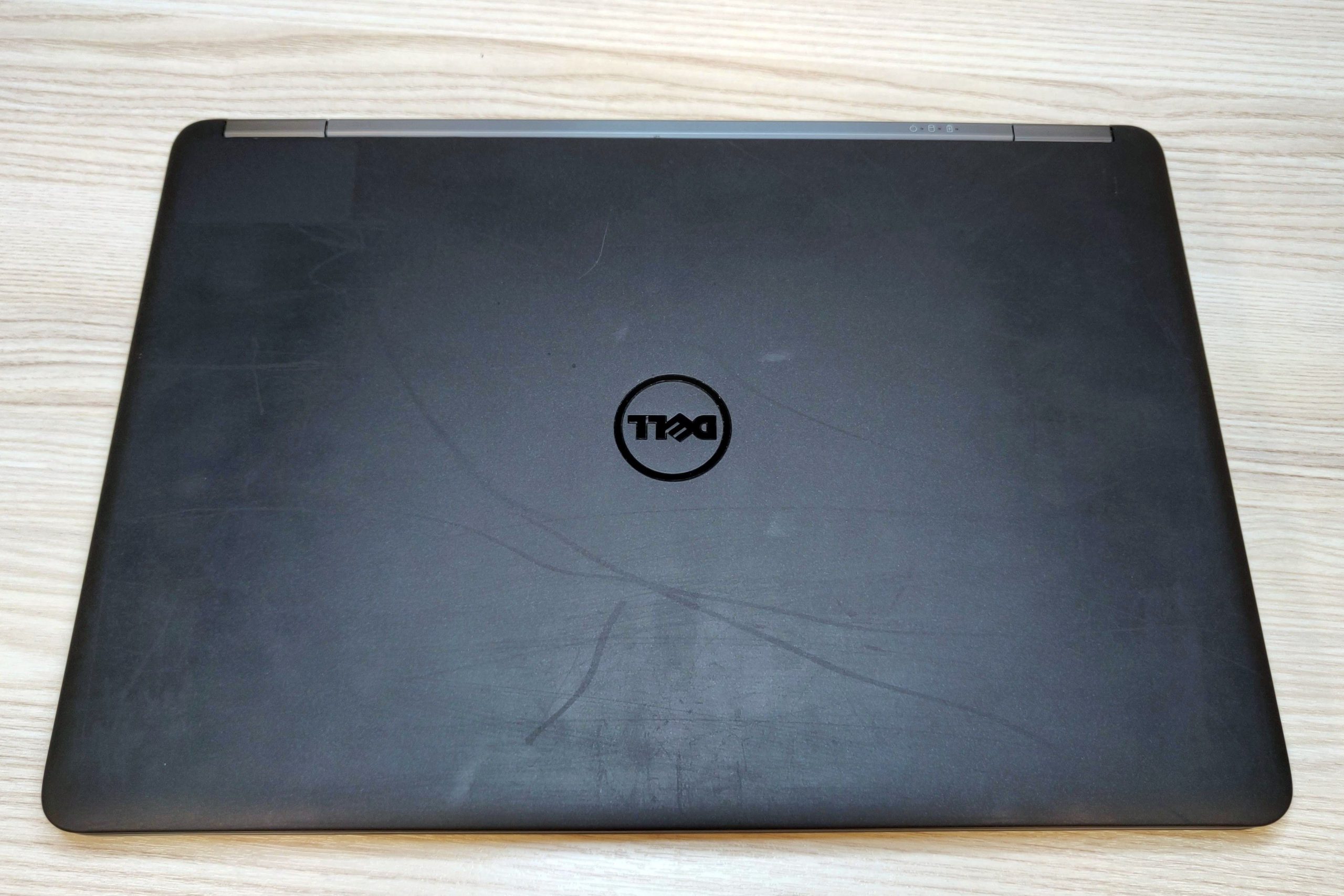
These photos illustrate wear at different grades. They do not show the unit you will receive. Always check the offer description.





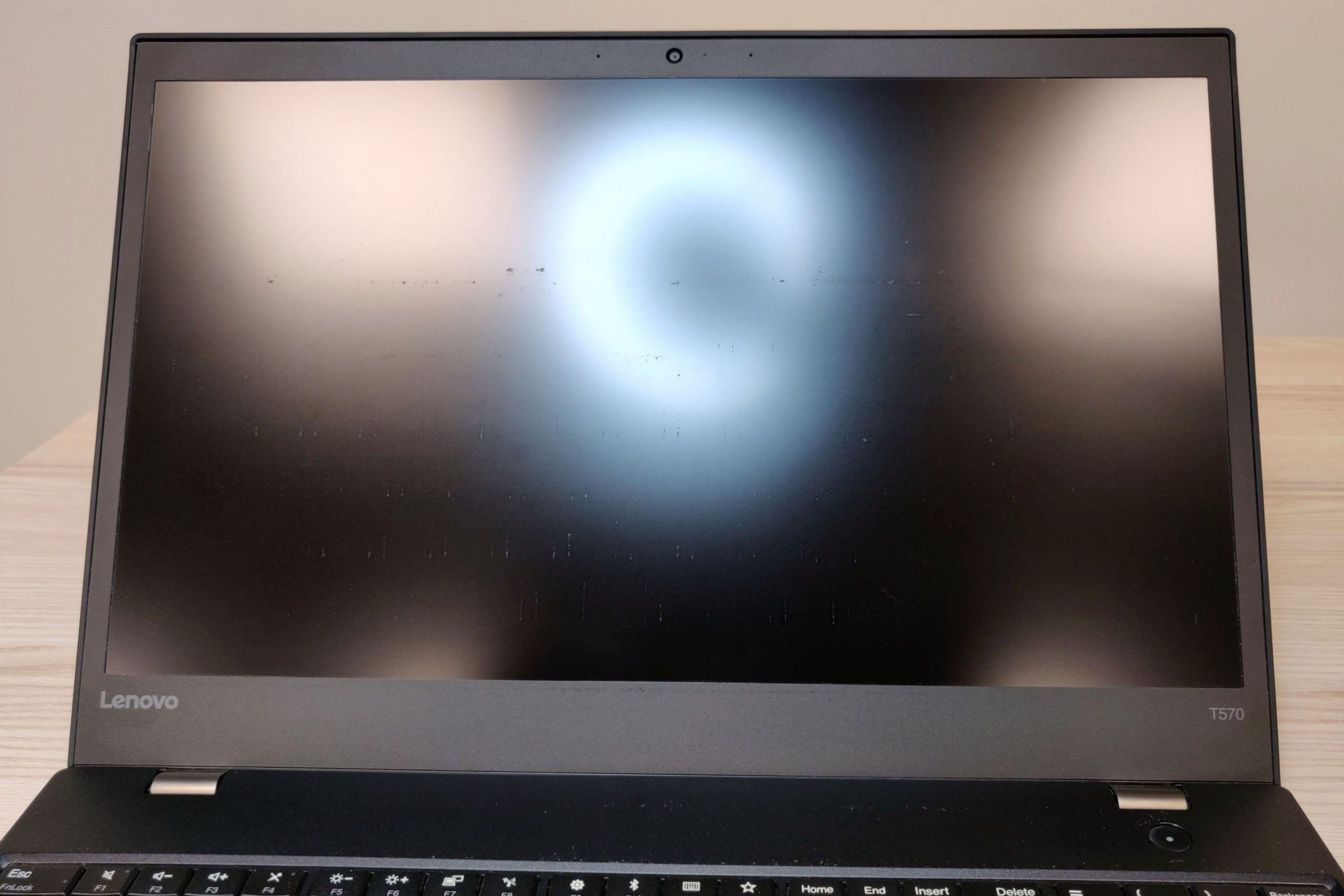
Visual grades
The catalogue uses 7 grades, from best to worst cosmetic condition: Grade Premium, Grade A, Grade AB, Grade B, Grade BC, Grade C Plus and Grade C.
Grade Premium
Immaculate condition, no visible marks. Minimal wear. A maximum of three fine scratches on the underside and one elsewhere are permitted, imperceptible in normal use. The screen is near-perfect, with at most a single tiny mark or scratch.
Grade A
Excellent: minor imperceptible marks. Light wear. Subtle marks on the sides and underside are permitted; the screen may have light, fine scratches visible only at certain angles.
Grade AB
Very good: slight signs of use. Intermediate level: condition falls between Grade A and Grade B criteria.
Grade B
Good: signs of wear on the chassis. Signs of use without deep scratches. Minor dents, marks and dust between keys are tolerated. The screen may show key marks and one or two dead pixels.
Grade BC
Acceptable: more evident signs of wear. Intermediate level: condition falls between Grade B and Grade C criteria.
Grade C Plus
Functional: moderate visible marks. Similar to Grade B, but allows a deeper, more visible dent. On laptops, this grade appears only on Apple models.
Grade C
Functional: significant wear, better price. Clearly visible wear. The chassis may be slightly bent and have small cracks, provided structural integrity is maintained. The screen may show noticeable wear and one or two dead pixels.
Some laptops appear as New: factory-sealed equipment with intact security seals. This is not a visual grade.
Functional states
Functional states describe how the equipment works. Grade D and Grade E are not part of the visual scale: they indicate issues that affect use or a serious screen fault.
Functional with note
The laptop is operational but has a specific imperfection indicated in the fault description. This may be delamination at the screen edge, a bright spot, or three to six dead pixels.
Grade D
There are physical or operational issues that affect use, such as a cracked chassis, a missing part, or a faulty trackpad. The screen has been tested and works.
Grade E
There is a serious screen fault, such as severe discolouration, extensive marks, delamination or a blank screen.
No power
The laptop does not turn on. Data is wiped.
Incomplete, Apple only
The laptop has been tested, but replaceable components such as the drive, battery or keyboard are missing. No operating system is installed.
How to use this guide
Compare the visual grade first, then the functional condition. Also confirm the configuration, battery, keyboard, included accessories and any specific note on the unit listing.
The screen has its own criteria. See the laptop screen grading guide to interpret these notes.
Frequently asked questions
Does the visual grade indicate the laptop's performance?
No. The visual grade describes the appearance. Check the configuration and functional condition on the unit's listing.
What does "Functional with note" mean?
It means the laptop works but has a specific imperfection described in the listing. Read that note before buying.
Is an Incomplete laptop ready to use?
No. It may be missing a drive, battery, keyboard or other replaceable component and does not have an operating system installed. The specification sheet identifies the missing components.


